Diwali UI Components

These 20 free Diwali UI components are the everyday parts of a site or app, styled with diyas, marigolds and rangoli. The set has 11 rangoli loading animations plus a toggle, button, checkboxes, tabs, toast, progress bar, add to cart and offer card. Try each one here, then open it in ExodeUI or download the file.

Updated November 2026

Diwali animation for websites and apps

Most Diwali animation you will find is made to be watched: greeting videos and GIFs. This set is made to be used in a product. Each piece does a job, such as switching a setting or showing that a page is loading, and it reacts when someone taps it. Because the runtime draws it live, it stays sharp at any size. It also fits Deepavali pages as it is.

Rangoli loading animations

A rangoli animation works well as a loader because the pattern is circular and repeats, so motion can run round it without a visible start or end. The 11 loaders here cover different needs: small spinners, a kolam animation drawn in one line, a diya animation with a passing flame, animated rangoli designs that fill with colour, and a ring with a percentage. Choose by the length of the wait. A short wait needs a small, quick loader, and a long first load gives a slower one time to play.

Where to use these Diwali components

Festive sale pages

The offer card, primary button and add to cart cover the path from seeing a sale to placing an order.

Product and shop pages

Use the tabs to split a catalogue into categories and the wishlist button to let people save items for later.

Checkout and forms

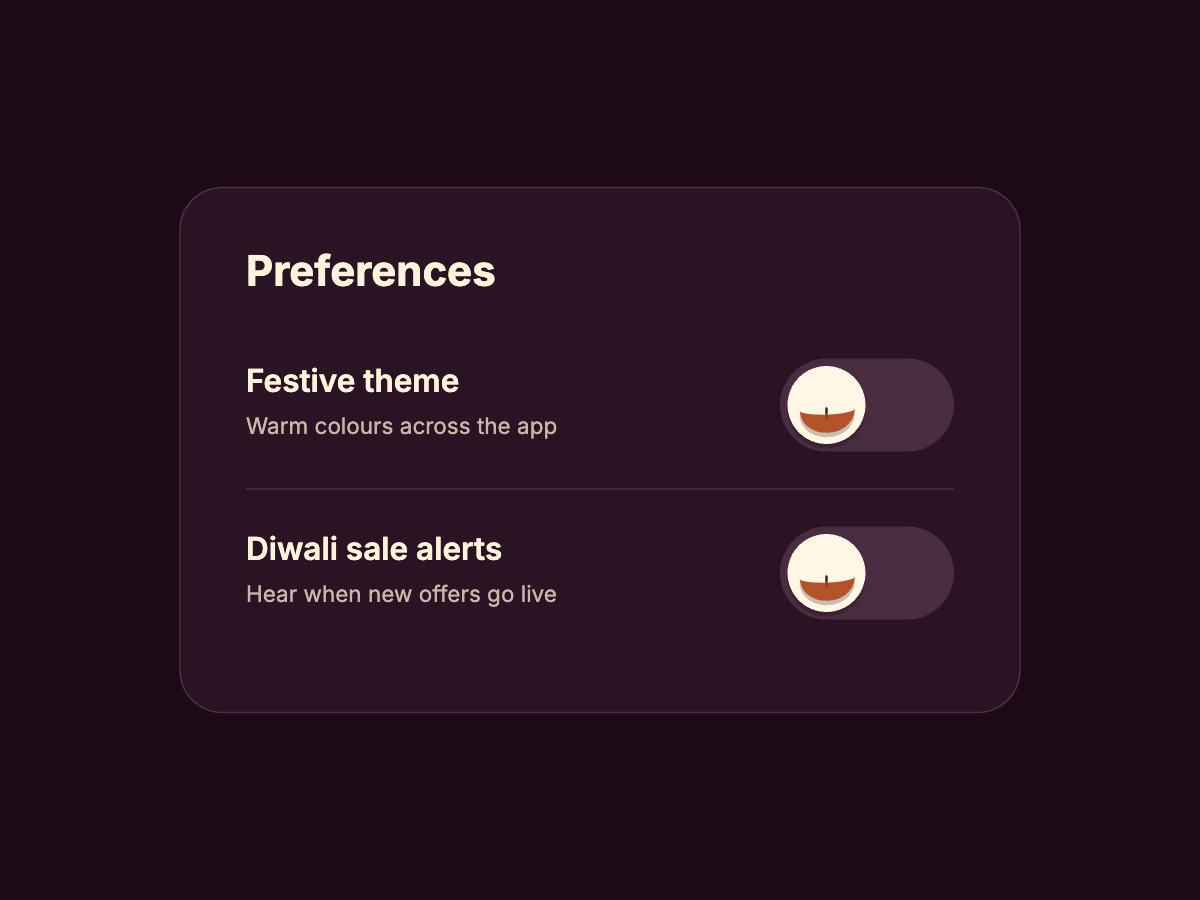
The checkbox group handles gift options, and the toggle fits settings such as a festive theme or sale alerts.

Loading and status

The rangoli loaders, progress bar and toast tell people what is happening during and after an order.

All 20 Diwali UI components

Diwali website design tips

Festive website design works best when the season adds to a page people can still use quickly. These points apply to a Diwali landing page or any seasonal page.

  • Pick one moving piece per screen. A loader, a shimmer and a ticking timer all at once compete for attention. Let one lead and keep the rest still.
  • Keep the path to buying clear. On a Diwali landing page, the offer and the main button should be obvious before any decoration.
  • Check your contrast. Gold on cream and saffron on white look festive but are often hard to read. Test text colours before you ship them.
  • Do not rely on the canvas for important text. Keep the sale terms and coupon code in your page text as well, so search engines and screen readers can read them.
  • Plan the switch back. Keep festive pieces separate from your normal components, so you can swap them out when the season ends.

ExodeUI, GIF, Lottie or CSS: which should you use?

We make ExodeUI, so weigh this with that in mind. For a greeting in an email or a social post, use a GIF or video, because ExodeUI files need a runtime to play. For a decorative loop with no interaction, a Lottie file or a GIF may be all you need. For one simple spinner, plain CSS adds no dependency and is hard to beat. ExodeUI is a better fit when a component has states and reacts to taps, or when you want the same file in several frameworks.

How to add a Diwali component to your site

  1. Pick a component. Open it in ExodeUI to change its text and colours, or keep it as it is.
  2. Download the .bexode file and put it in your public folder.
  3. Install the runtime with npm i exodeui.
  4. Render it with ExodeUICanvas. Taps and hovers work out of the box, and fireTrigger plays it from your code.
import { ExodeUICanvas, useExodeUI } from 'exodeui';

export function DiyaToggleSwitch() {
  const { setEngine, fireTrigger } = useExodeUI();

  return (
    <>
      <div style={{ width: 400, height: 300 }}>
        <ExodeUICanvas
          src="/ui-gallery/files/diya-toggle.bexode"
          autoPlay
          onReady={setEngine}
          style={{ width: '100%', height: '100%' }}
        />
      </div>
      {/* Optional: taps on the canvas already work */}
      <button onClick={() => fireTrigger('in_toggle_1')}>Play from code</button>
    </>
  );
}

Frequently asked questions

Are these Diwali UI components free?
Yes. Try any of them here, download the .exode file, or open it in ExodeUI on the free Community plan.
What is a rangoli loading animation?
It is a loading indicator based on a rangoli, the coloured floor pattern made at the entrance of a home during Diwali. Light, colour or petals move round the pattern to show the page is still working.
Which loading animation should I use for my website?
For a short wait, use a small one such as the Triple Ring Loader or the Rangoli Inline Spinner. For a long first load, a slower one such as the Lotus Bloom Loader has time to play. Very short waits often need no loader at all.
Are these Diwali animations GIFs or videos?
No. Each one is a small ExodeUI file played by the runtime on a canvas, so it stays sharp at any size and can react to taps. If you need a file for an email or a social post, a GIF or video made in another tool is the better fit.
Can I use them for Deepavali, Navratri or other occasions?
Yes. You can change the words and colours in the editor. Deepavali is another name for Diwali, so the whole set fits as it is. The Mandala Ripple and Triple Ring loaders have no festival symbols and work all year.
Can I change the text, prices and colours?
Yes. The product names, prices and coupon code are sample content. Open a component in ExodeUI and every label, colour, shape and timing can be edited on the canvas.
Can I connect them to my app?
Yes. Each file has trigger inputs that your code can fire with fireTrigger from useExodeUI, and the detail pages list their ids. The ExodeUI file only handles the motion, so your own code still has to save the setting, add the item or copy the coupon.
Do the button and progress bars follow a real request?
Not by themselves. Their loading steps run on a fixed timer, so they suit short actions where you start the animation with a trigger. To match a longer process, change the timing in the editor or show a looping loader until your request finishes.
Which frameworks do they work with?
The same file plays in the ExodeUI runtimes for React, Vue, Svelte, Angular, Solid, React Native, SwiftUI and Flutter.
How big are the files?
The compiled .bexode files on this page are about 1 to 5 KB each. That does not include the ExodeUI runtime package, which your app loads once.
What about people who prefer less motion?
The loaders, the flame flicker and the button shimmer run on their own. If a visitor has reduced motion turned on, check prefers-reduced-motion in your code and show a still image or a plain text message instead.