← All 20 Diwali UI components

Diwali Offer Card: a Diwali UI component

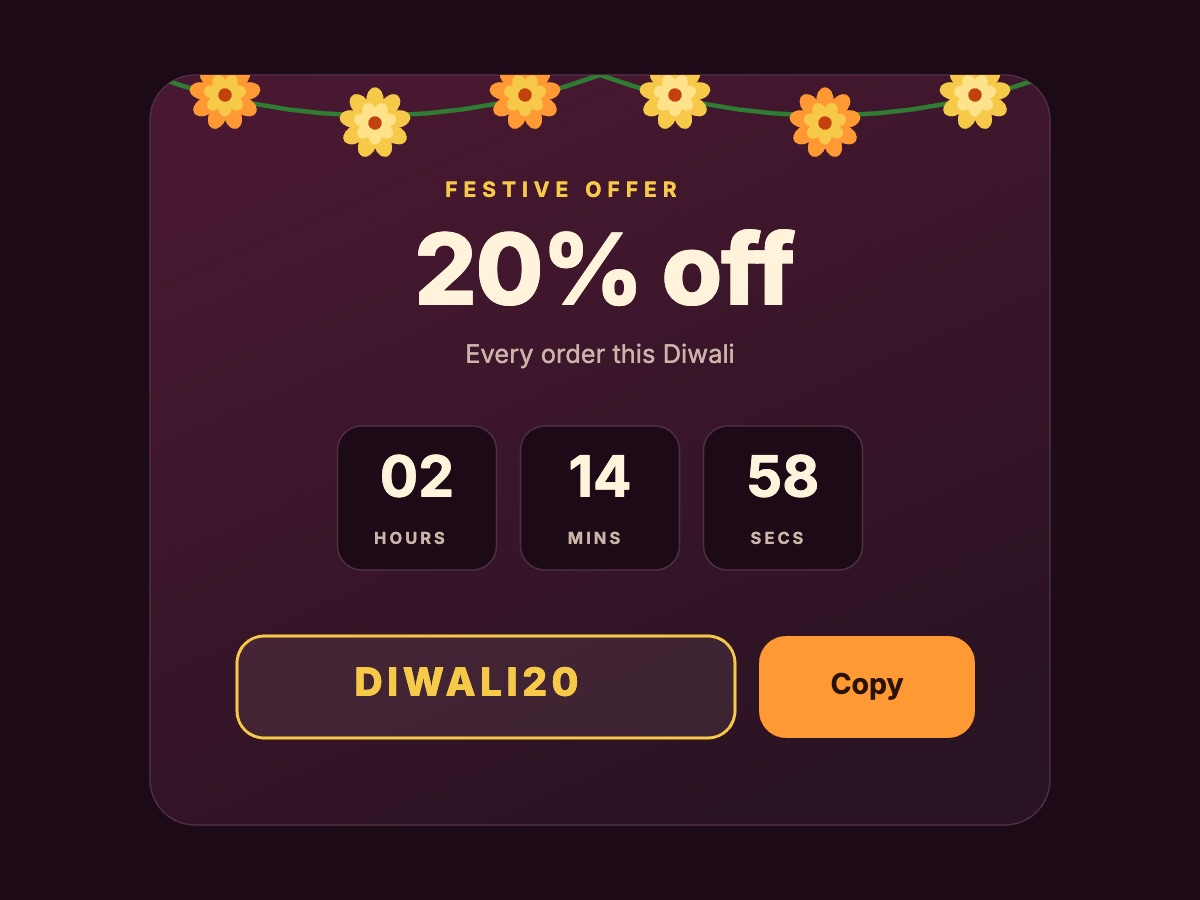
A sale card with a ticking timer and a coupon code you can copy. A free, live ecommerce component.

Updated November 2026

When to use the Diwali Offer Card

Use it as the main banner on a festive sale page or Diwali landing page. The code sits next to a Copy button, so nobody has to retype it. Copying to the clipboard is your code, and the timer values in the file are samples to replace.

Add the Diwali Offer Card to React or Next.js

  1. Pick a component. Open it in ExodeUI to change its text and colours, or keep it as it is.
  2. Download the .bexode file and put it in your public folder.
  3. Install the runtime with npm i exodeui.
  4. Render it with ExodeUICanvas. Taps and hovers work out of the box, and fireTrigger plays it from your code.
import { ExodeUICanvas, useExodeUI } from 'exodeui';

export function DiwaliOfferCard() {
  const { setEngine, fireTrigger } = useExodeUI();

  return (
    <>
      <div style={{ width: 400, height: 300 }}>
        <ExodeUICanvas
          src="/ui-gallery/files/diwali-offer-card.bexode"
          autoPlay
          onReady={setEngine}
          style={{ width: '100%', height: '100%' }}
        />
      </div>
      {/* Optional: taps on the canvas already work */}
      <button onClick={() => fireTrigger('in_copy')}>Play from code</button>
    </>
  );
}

Frequently asked questions

Is the Diwali Offer Card free to use?
Yes. Try it here, open it in ExodeUI on the free Community plan or download the .exode file.
What does the Diwali Offer Card do?
A sale card with a ticking timer and a coupon code you can copy. Tap Copy to see it.
Can I restyle the Diwali Offer Card for my brand?
Yes. Open it in ExodeUI and every colour, label, shape and timing can be edited. Any names and prices in it are sample content.
Can my code control it?
Yes. Fire its trigger (in_copy) with fireTrigger from useExodeUI. Your own code still handles what the action does, such as saving the choice.