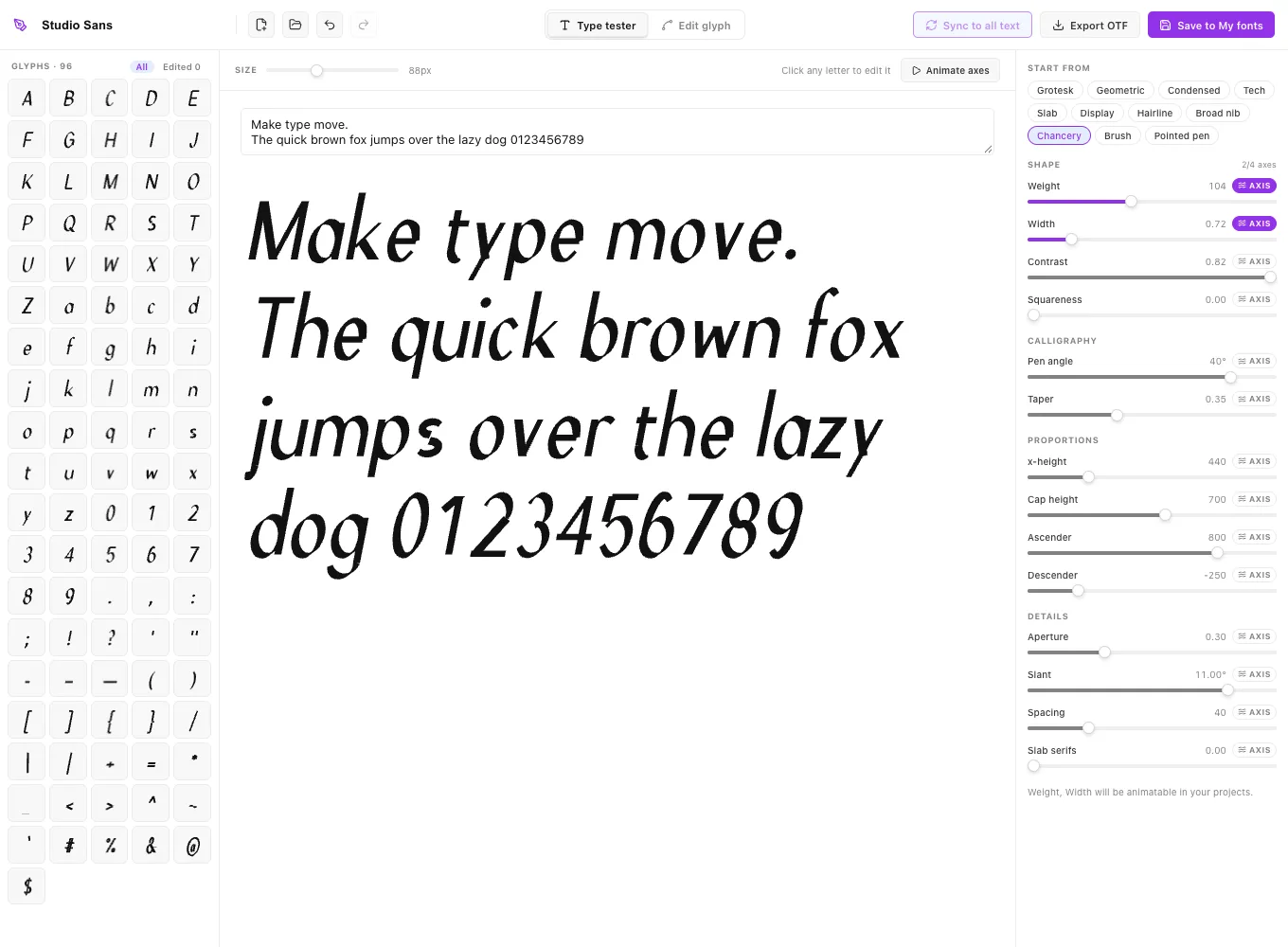
Everything you need to create a font
Make a font with sliders
Weight, width, contrast, squareness, x-height, cap height, ascenders, descenders, aperture, slant, spacing, slab serifs and grade. Start from eleven presets, from Grotesk and Tech to Slab and Hairline.
Calligraphy styles
A broad-nib pen angle makes stroke thickness follow the pen, and taper thins the free ends of strokes like a brush. Presets include Broad nib, Chancery, Brush and Pointed pen.
Edit letters by hand
Drag points and curve handles, add and delete points, switch corners and curves, draw new shapes with the pen, cut letters with the knife and round every corner. Hand-drawn letters still follow weight, width, slant and spacing.
Style one letter, sync it to all
Give a single letter its own weight, width or pen angle, see it next to its neighbours, then sync that style to every letter in one click.
Variable axes that animate
Turn up to four sliders into font axes. In your ExodeUI projects, keyframe them, or bind them to hover, scroll, theme or any input, and the text changes shape while people use your interface.
Type effects
3D extrusion, liquid wobble and drips, and arc, wave and bulge shapes for any Exode font, each with values you can animate.
Sync to all text
Change a letter in Font Studio and push the change to every text in your project that uses the font.
Export OTF
Download a standard OpenType file of your font for other apps, or keep the Exode font with all its axes in your library.
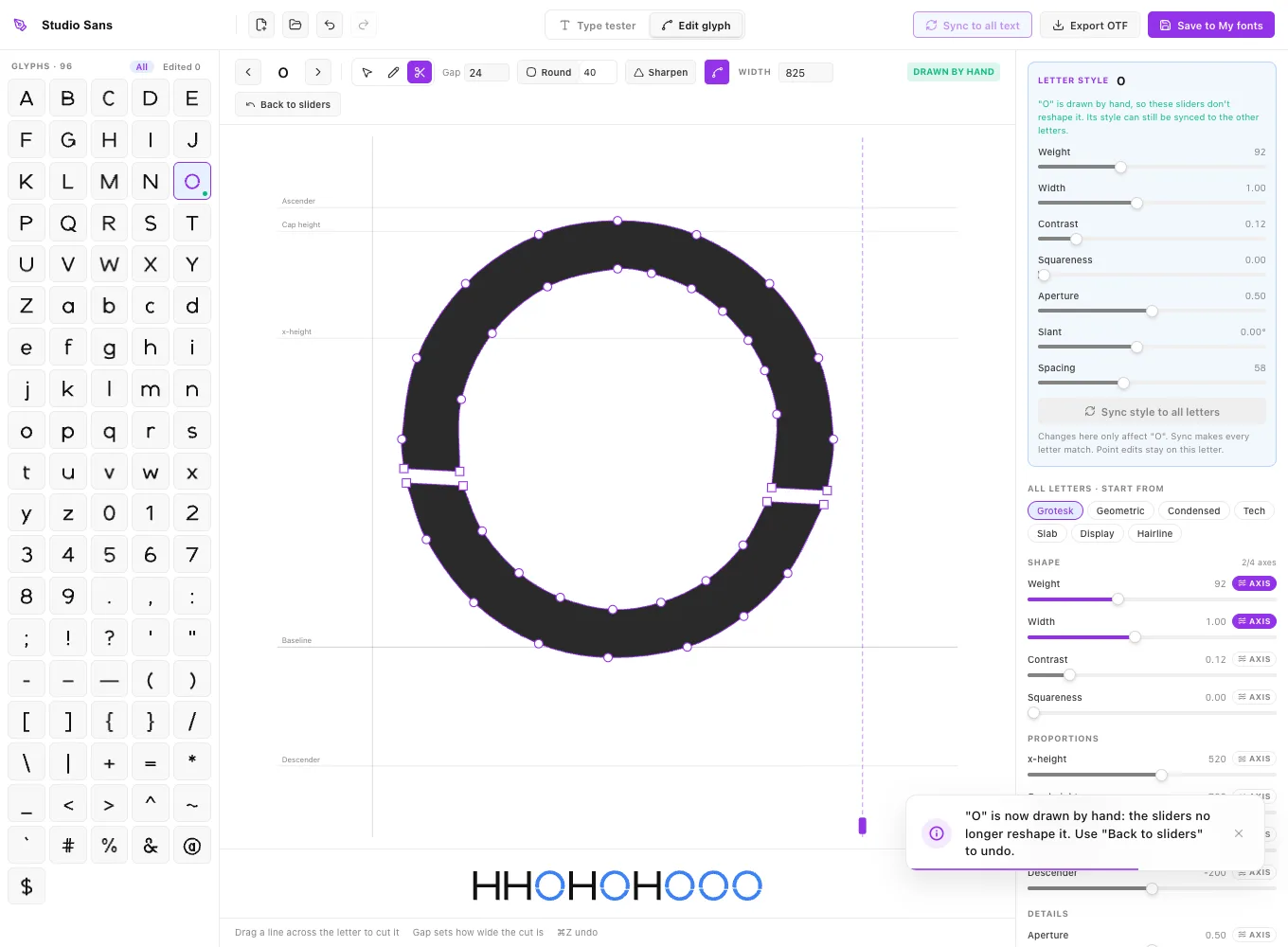
Edit single letters like a font editor
Click any letter in the glyph set or in your sample text to open it. Move points and handles, double-click a line to add a point, double-click a point to switch between a corner and a curve, and press Delete to remove points. The Pen draws new shapes onto a letter, the Knife cuts it (for stencil styles), and Round softens every corner by the radius you choose.
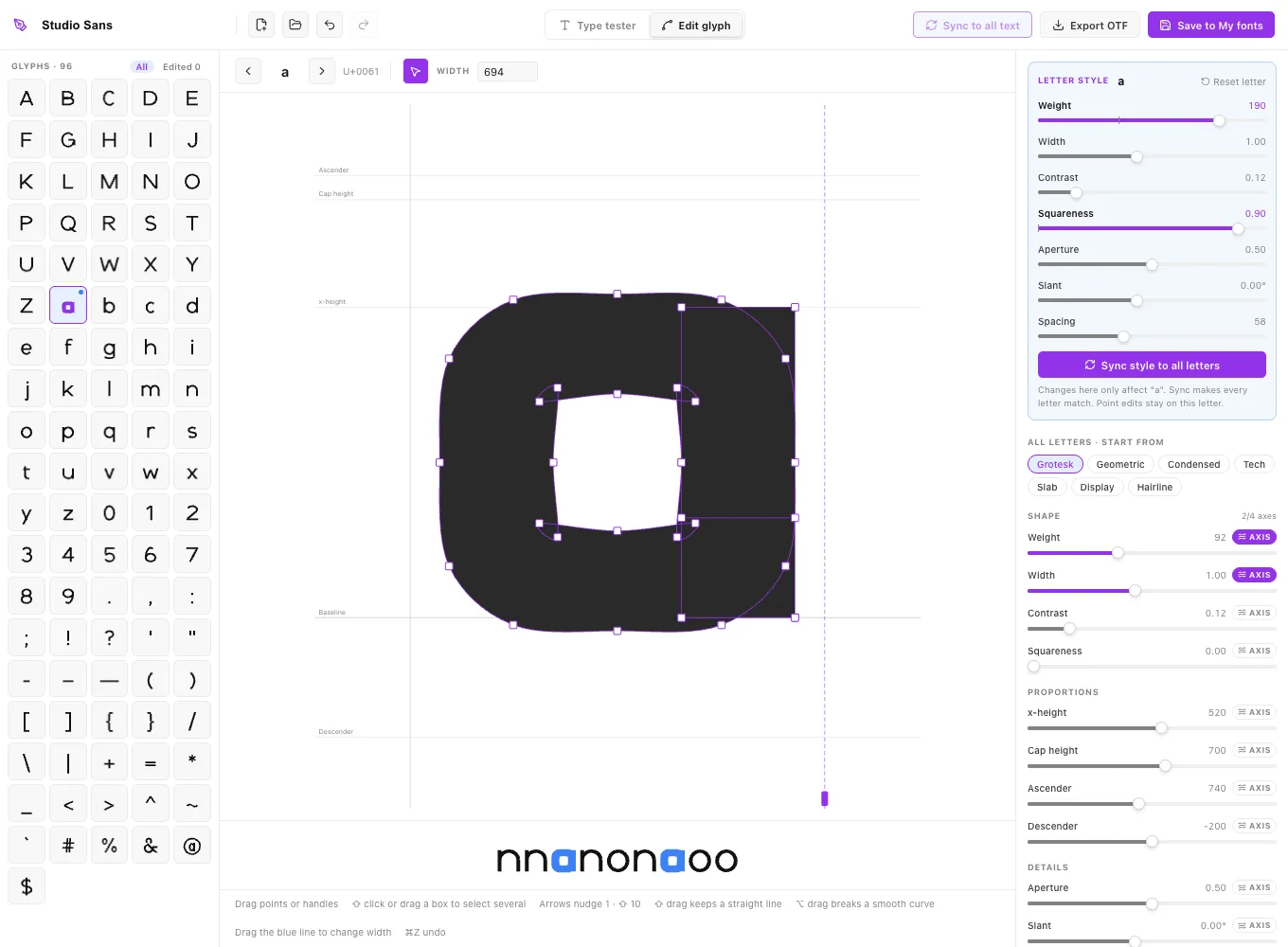
Letters you redraw still follow the main sliders for weight, width, slant, spacing and heights, so you can keep tuning the whole font afterwards.
Give one letter a style, then sync it to all
The Letter style panel changes one letter only: heavier, wider, squarer, a different pen angle. The strip under the editor shows it between its neighbours, so you can judge it in context. When it looks right, Sync style to all letters makes the whole alphabet match.
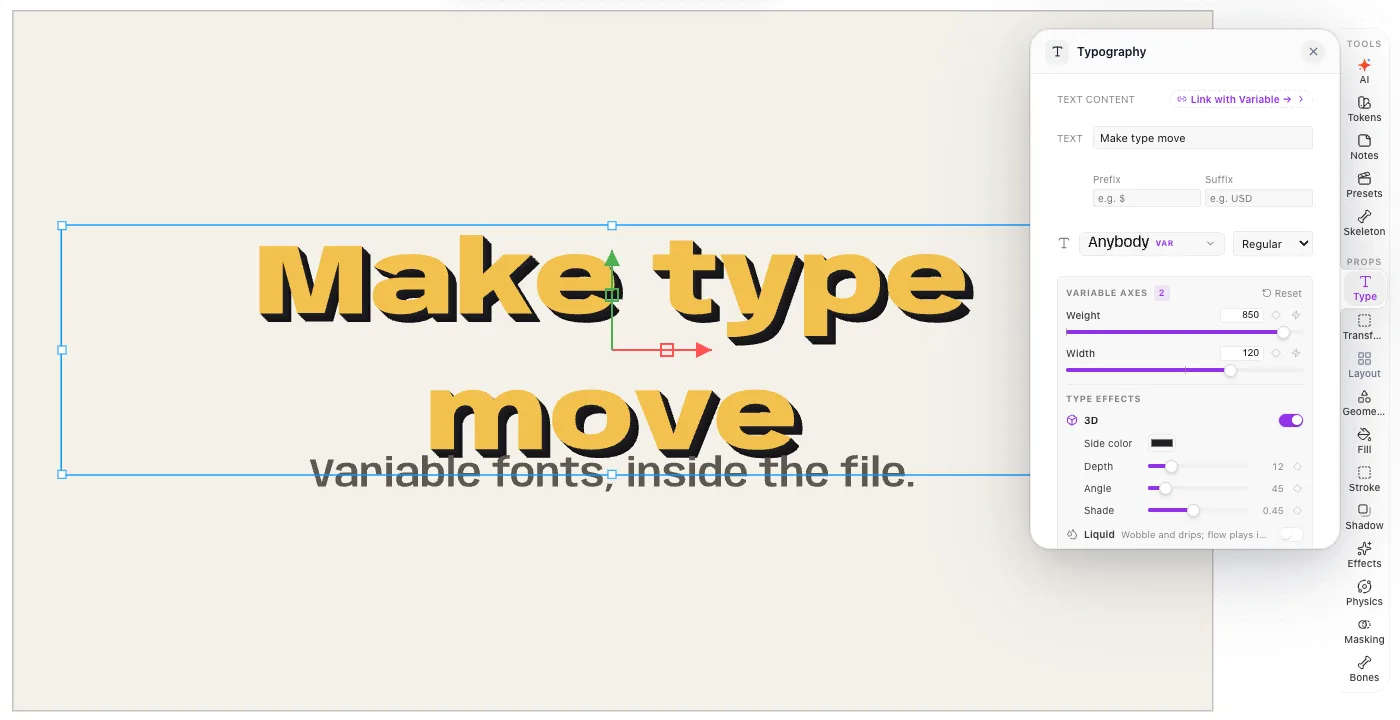
Fonts that react to your interface
Any slider can become a variable axis. In an ExodeUI project, each axis appears in the Typography panel with a keyframe button and a button that binds it to an input. That is how one font can get heavier on hover without moving, lighter in dark mode, wider to fill a headline or follow the beat of a song. The ten free fonts below were built this way.
How to make a font in five steps
- Step 1
Pick a starting style
Open Font Studio from the Home screen or from the font menu in the editor, and choose a preset such as Grotesk, Geometric, Slab or Chancery.
- Step 2
Shape it with sliders
Move weight, width, contrast, x-height and the rest while the Type tester shows your own sample text. Each change redraws all 96 letters at once.
- Step 3
Choose what can animate
Switch on AXIS for up to four sliders. Those become variable axes you can animate or bind to inputs later.
- Step 4
Refine single letters
Click any letter to edit it. Drag points, cut it with the knife, draw extra shapes with the pen, or give it its own style and sync that style to the rest.
- Step 5
Use it or export it
Apply the font to text in your project, save it to My fonts, or export an OTF file.
For a longer walkthrough, including spacing and testing, read how to make a font.
When another font editor is the better choice
We make ExodeUI, so take this with that in mind. Font Studio is built for fast, consistent display and interface fonts that animate. For a professional text family with hand-drawn outlines in every weight, full OpenType features, accented letters and other scripts, a dedicated type design app such as Glyphs (macOS) or FontLab (Windows and macOS) is the right tool, and FontForge is a free option. For turning your handwriting into a font, Calligraphr is purpose-built. Our comparison of font makers covers them in detail.
Frequently asked questions
- What is Font Studio?
- Font Studio is the font maker inside ExodeUI. You design a typeface with sliders and presets, edit single letters with pen, knife and curve tools, and choose which settings become variable axes that can animate in your projects. It runs in the browser and in the ExodeUI desktop app.
- Is Font Studio free?
- Yes, it is part of ExodeUI, which has a free Community plan. The Professional plan is $5 per month, billed yearly.
- Can I make a font without design experience?
- Yes. Presets give you a complete, consistent alphabet in one click, and every slider changes all letters at once, so the font stays consistent while you experiment. Hand-editing letters is optional.
- What can I export?
- A static OpenType (.otf) file that works in other apps, and an Exode font with all its axes for ExodeUI projects. Variable TTF export is not available yet.
- Which characters does Font Studio make?
- Basic Latin: A–Z, a–z, figures and common punctuation, 96 characters in total. Accented letters and other scripts are not generated yet.
- Can AI make fonts with Font Studio?
- Yes. The ExodeUI MCP server has a create_font tool, so Claude Code, Cursor and similar AI coding tools can make a font from a description and apply it to text.