AI Sameness: Keeping Brand Personality When AI Generates Your UI
Why AI UI generators produce look-alike interfaces, and practical ways to keep a distinct identity: typography, colour, layout, motion, illustration and voice.
Core Takeaway
AI UI generators drift towards the most common choices in their training data, which is why so many generated interfaces share the same fonts, gradients and layouts. To stay distinct, give the AI explicit brand rules: your type pairing, colour story, layout principles, motion character and voice, plus examples. Then put a designer's judgement on the parts users notice most.
Why AI-generated interfaces look alike
Anthropic, which makes Claude, has described the cause directly. Without guidance, a model asked to build a landing page will usually choose Inter, purple gradients on white and minimal animation. Their explanation is distributional convergence: models predict the most likely next choice, and safe, common design choices dominate the web data they learned from. The same post also notes the good news: models are highly steerable, and specific instructions change the output immediately.
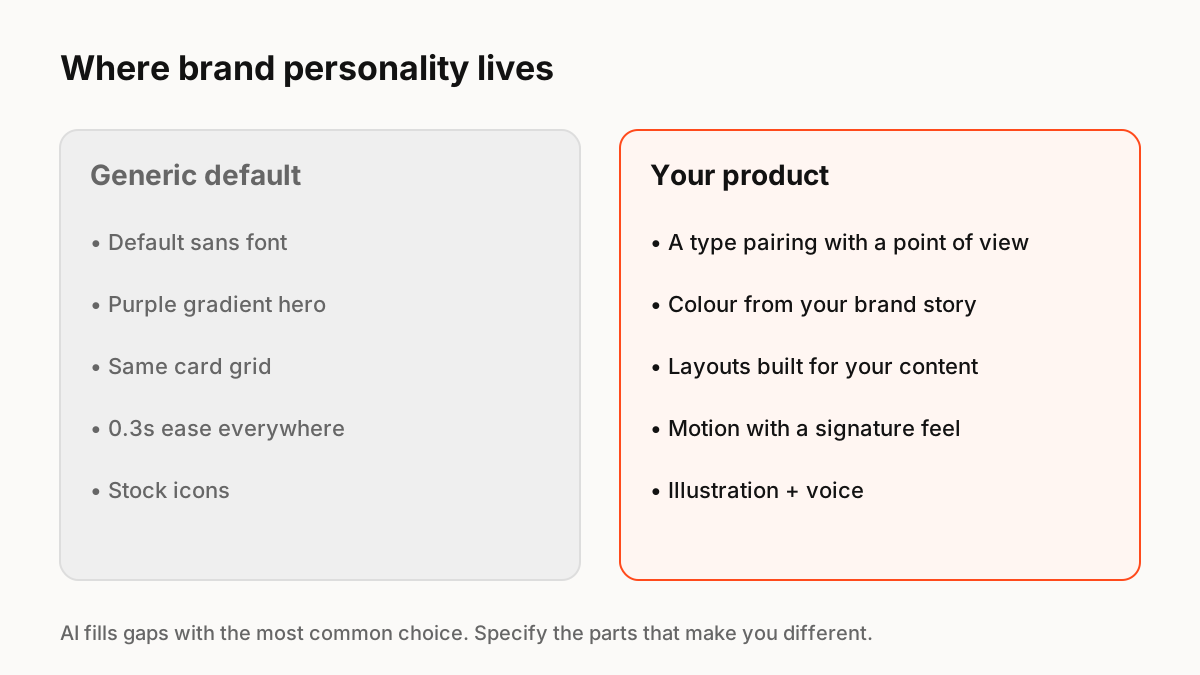
Where personality actually lives
Users recognise a product by a handful of decisions. Write each one down as a rule the AI can follow:
- Typography: a specific pairing and scale, and which fonts to avoid.
- Colour: a palette tied to your story, with rules for accents and backgrounds.
- Layout: density, grid and the shapes that repeat (corners, borders, depth).
- Motion: how things move, from crisp and fast to soft and springy, and when not to move.
- Illustration and imagery: style, subject and what never appears.
- Voice: how buttons, errors and empty states are written.
Motion and touch as a signature
Static styles are easy to copy and easy for AI to imitate. How an interface feels when you press, drag or wait is harder. A consistent motion character, a particular spring on press, the way sheets settle, a small reaction on success, becomes part of the brand. Define it as motion tokens and a few signature components rather than leaving each screen to choose its own timing.
A workflow that keeps the brand
Use AI where sameness does not matter, such as first drafts, internal tools and repetitive variants, and keep design time for the moments users notice: onboarding, empty states, key actions and success moments. Give AI tools your design system through MCP or a written brief, and review generated screens against a short checklist of your brand rules.
Key Principles to Remember
- Generated UI converges on the most common choices
- Models follow specific brand rules well; vague prompts get generic results
- Write rules for type, colour, layout, motion, imagery and voice
- Motion and interaction feel are hard to copy and strong brand signals
- Spend design time on the moments users notice most
Frequently Asked Questions
Sources
- Improving frontend design through Skills — Claude blog (Anthropic)
- Motion — Apple Human Interface Guidelines
- Motion overview — Material Design 3