Drag-and-Drop UX: Signifiers, Feedback and Accessible Alternatives
How to design drag-and-drop people can discover and use: grab signifiers, lift and preview feedback, drop zones, physics, and the non-drag alternative WCAG 2.2 requires.
Core Takeaway
Make draggable items obvious with a grab handle or cursor change, confirm the grab with a lift and shadow, preview the result while dragging by highlighting drop zones, and settle the item clearly when dropped, with undo. Always provide a non-dragging way to do the same thing; WCAG 2.2 requires it at level AA.
Feedback at every stage
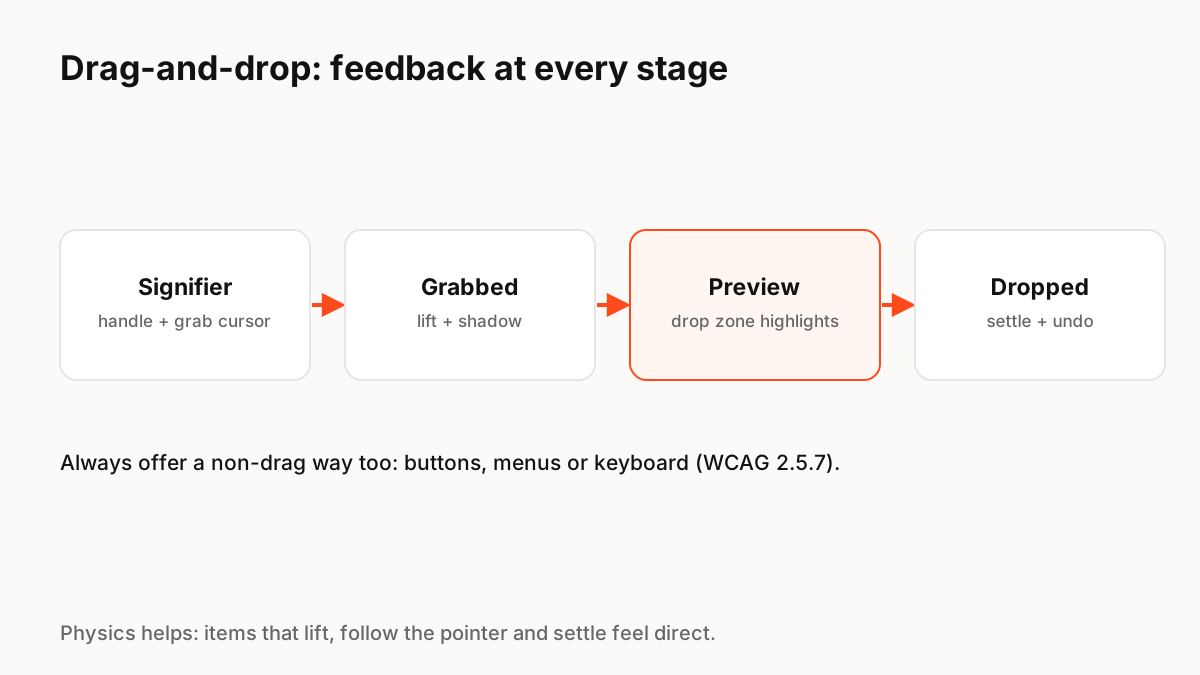
Nielsen Norman Group's guidance is that clear signifiers and clear feedback at every stage make drag-and-drop discoverable and easy to use. Once an item is grabbed, people need to know it was grabbed and to see what will happen before they drop it.
- Signifier: a grab-handle icon, a grab cursor on hover, or both.
- Grabbed: lift the item with a shadow and slight scale so it looks held.
- Preview: highlight valid drop zones and show where the item will land.
- Dropped: animate the item into place and offer undo.
Accessibility: always offer another way
WCAG 2.2 success criterion 2.5.7, Dragging Movements (level AA), requires that anything done by dragging can also be done with a single pointer without dragging, unless dragging is essential. Common alternatives are move up and move down buttons, a "Move to" menu, or keyboard support with arrow keys. NN/g also notes that a precise alternative often helps everyone, for example dragging roughly into place and nudging with arrow keys.
Physics makes dragging feel direct
Dragged items should follow the pointer without lag. When released, a spring that carries the release speed into the settle makes the drop feel physical, and other items moving aside smoothly shows where the gap is. Keep these motions short and reduce them when reduced motion is on.
Touch details
On touch screens, distinguish a drag from a scroll, often with a long press to pick up. Make handles large enough to hit, auto-scroll lists when dragging near the edge, and give haptic feedback on pick-up and drop where the platform supports it.
Key Principles to Remember
- Show what is draggable with handles or cursor changes
- Confirm the grab and preview the drop
- Settle with clear motion and offer undo
- WCAG 2.5.7 (AA): provide a non-dragging alternative
- Use springs for natural release; reduce for reduced motion
Frequently Asked Questions
Sources
- Drag–and–Drop: How to Design for Ease of Use — Nielsen Norman Group
- Understanding SC 2.5.7: Dragging Movements — W3C WAI