Password Strength Meters That Actually Help: UX and NIST Guidance
How to design password fields and strength meters that follow current NIST guidance: length over symbols, blocklists, paste and password managers, and clear feedback.
Core Takeaway
Current NIST guidance (SP 800-63B) favours length and blocklists over composition rules: passwords used on their own must be at least 15 characters, services should allow at least 64, and they must not require mixes of character types. A good strength meter estimates real guessability, rewards length, explains problems in plain words and works with paste and password managers.
What NIST now says
NIST Special Publication 800-63B sets out modern password rules for verifiers:
- Passwords used as the only factor must be at least 15 characters; passwords used within multi-factor authentication may be shorter but at least 8.
- Services should allow a maximum length of at least 64 characters.
- Services must not impose composition rules such as requiring mixes of character types.
- New passwords must be checked against a blocklist of common, expected or compromised values, with the reason for rejection shown.
- Services must offer guidance to help people choose a strong password.
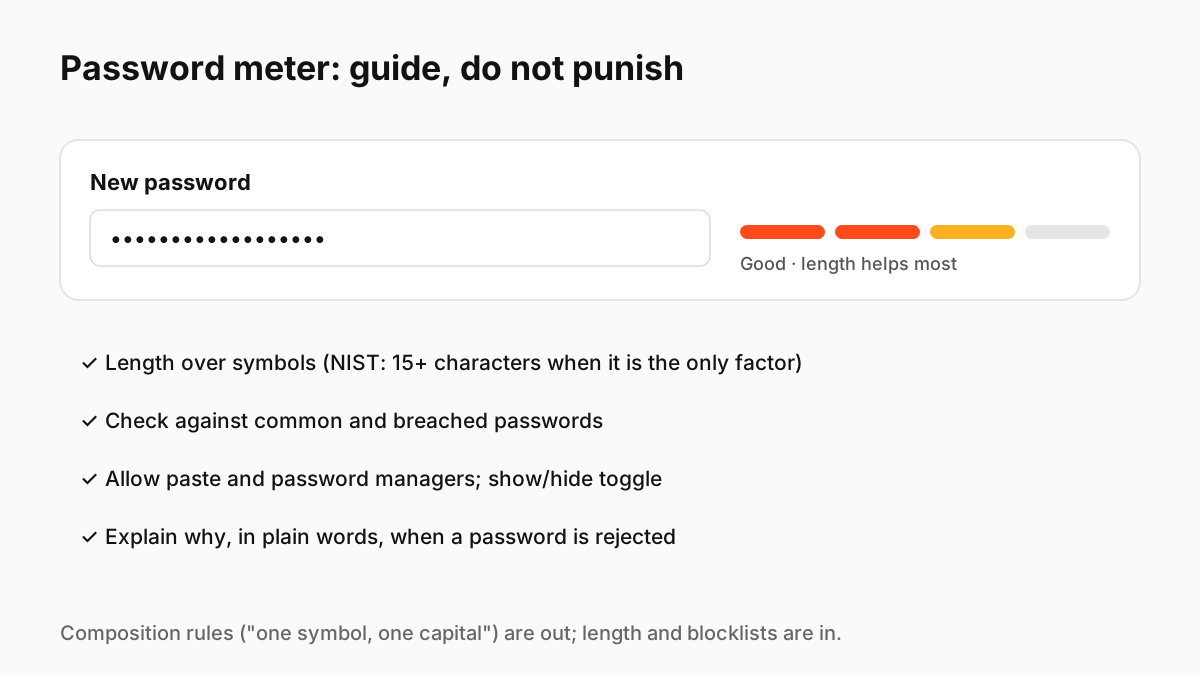
What a good meter measures
Counting character types rewards "Password1!" and punishes a long passphrase. Estimators such as Dropbox's open-source zxcvbn instead look for patterns attackers use, recognising tens of thousands of common passwords, names and words, and estimate how guessable the password really is. Base the meter on an estimate like that, plus your blocklist.
Designing the field
Small details decide whether people succeed:
- Allow paste and autofill so password managers work.
- Offer a show/hide toggle instead of a confirm-password field where you can.
- Show requirements before typing, then live progress as people type.
- Explain rejections in plain words: "This password appears in known breaches."
- Do not set an artificially low maximum length.
Motion and feedback
A meter that fills smoothly as the password improves gives encouraging, immediate feedback. Do not animate it so much that it distracts, do not use colour alone (add a text label such as "Strong"), and avoid shaking the field while people are still typing.
Key Principles to Remember
- NIST: 15+ characters for single-factor passwords, at least 64 allowed
- No composition rules; check against a blocklist instead
- Estimate guessability (for example with zxcvbn), not character types
- Allow paste and password managers; offer show/hide
- Pair meter colour with a text label
Frequently Asked Questions
Sources
- NIST SP 800-63B: Authentication and Authenticator Management — NIST
- zxcvbn: low-budget password strength estimation — GitHub (Dropbox)
- Error-Message Guidelines — Nielsen Norman Group