Skeleton Screens: When to Use Them Instead of Spinners
What skeleton screens are, when they beat spinners, how to design them so they match real content, and how to animate them without hurting performance or accessibility.
Core Takeaway
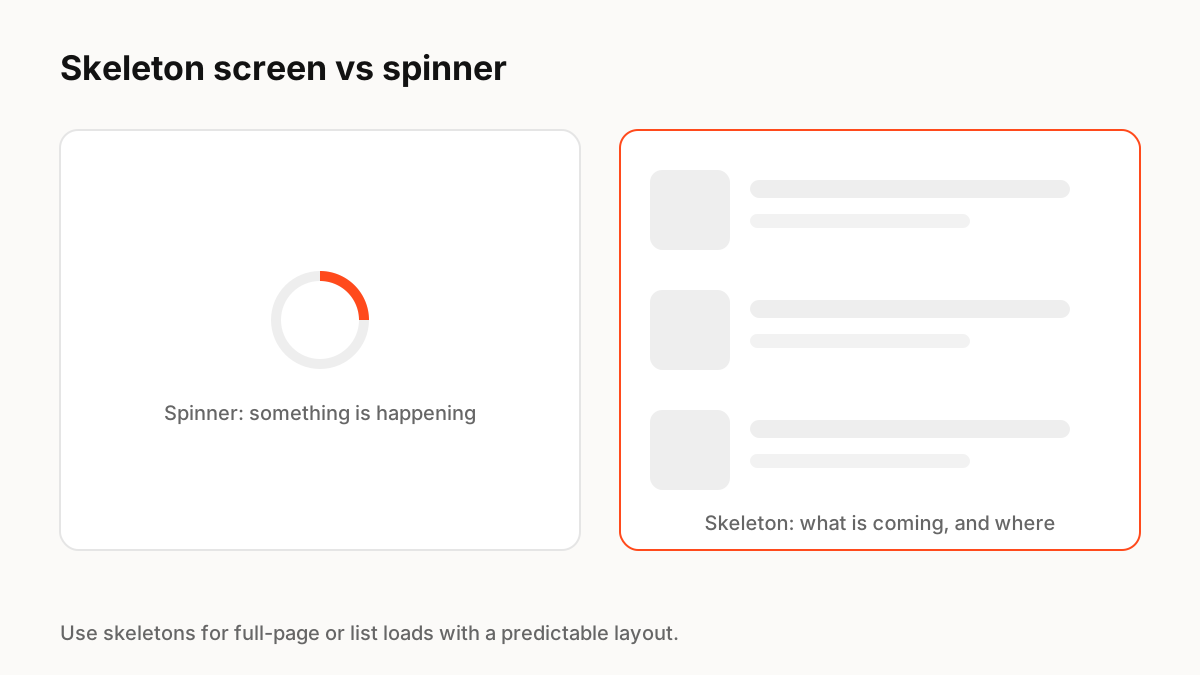
A skeleton screen is a wireframe-like placeholder that shows the layout of content while it loads. Use it for full pages and lists with a predictable shape; use a spinner for small areas or unknown content, and real progress for long tasks. Make the skeleton match the real layout so nothing jumps when content arrives.
What a skeleton screen is
Nielsen Norman Group defines a skeleton screen as a placeholder for a loading page that mimics the layout with a wireframe-like visual. It is used for full-page loads and reduces perceived loading time, because people see the structure of what is coming instead of an empty area.
When to use which
Match the indicator to the content and the wait:
- Skeleton: page or list loads where the layout is known, such as feeds, cards and profiles.
- Spinner: small areas, buttons, or content whose shape you cannot predict.
- Progress bar: long tasks you can measure, such as uploads and exports.
- Nothing: very fast responses, where an indicator would only flicker.
Designing a good skeleton
Use the real component dimensions so the page does not shift when content arrives, which also protects your Cumulative Layout Shift score. Keep shapes simple (blocks for images, bars for text), use low-contrast greys, and replace each placeholder with real content as soon as it is ready instead of waiting for everything.
Animating skeletons
NN/g notes that some skeletons include a pulsing or shimmering animation to signal that the system is still working. Keep it slow and subtle, animate opacity or a transform rather than layout properties, and stop it when reduced motion is on. Give the loading region an accessible label such as "Loading results".
Key Principles to Remember
- Skeletons show the layout of coming content and reduce perceived wait
- Use them for predictable page and list loads; spinners for small or unknown areas
- Match real dimensions to avoid layout shift
- Keep shimmer subtle and stop it for reduced motion
- Label loading regions for screen readers
Frequently Asked Questions
Sources
- Skeleton Screens 101 — Nielsen Norman Group
- Progress Indicators Make a Slow System Less Insufferable — Nielsen Norman Group
- Cumulative Layout Shift (CLS) — web.dev