
Menus & navigation
Liquid tab bar
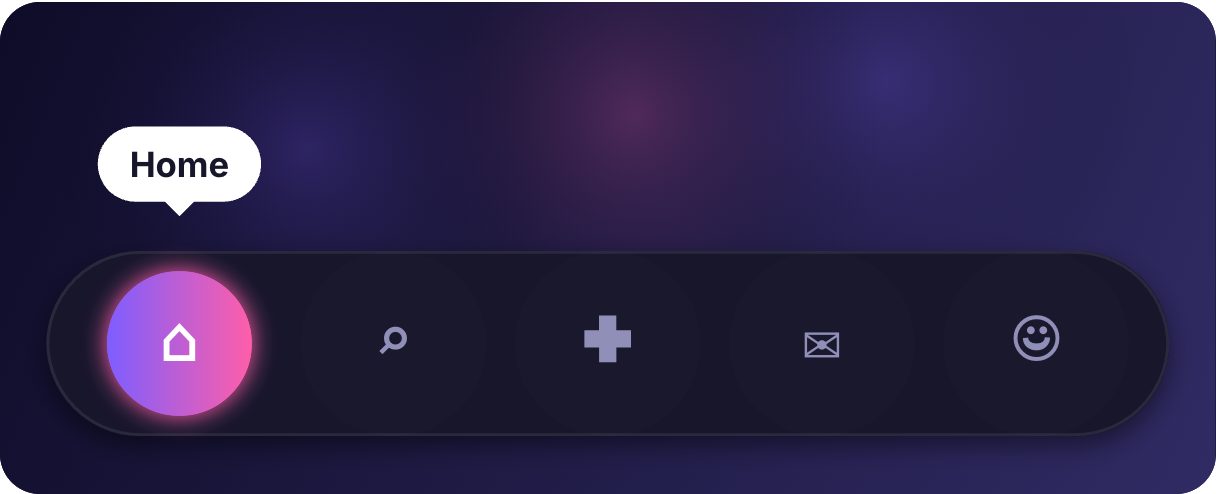
A bottom navigation bar where a liquid pill glides between five tabs — Home, Search, Create, Inbox, Profile. It is the most practical component here: a drop-in tab bar for mobile apps and PWAs that feels native and alive.
- 3.4 KB compiled
- 420 × 170 artboard
- 1 input
- 9 runtimes
How it works
- A Number input, selected (0–4), drives five states — one per tab.
- Changing tabs plays a transition that glides the liquid pill to the new tab.
- Because the state is a plain number, your router can set it directly.
| Input | Type | What it does |
|---|---|---|
selected | Number | Index of the active tab, 0 to 4. |
When to use it
- Mobile app bottom navigation
- PWA and web-app tab bars
- Dashboard section switchers
Accessibility
Use role="tablist" buttons in your app to set selected, and keep visible labels for each icon.
Also searched as: bottom navigation bar · animated tab bar · mobile tab navigation
Use it in your app
One component, one file. Pick your stack:
import { ExodeUICanvas } from 'exodeui';

export function LiquidTabBar() {
  return (
    <ExodeUICanvas
      src="/liquid-tabbar-menu.bexode"
      autoPlay
      onReady={(engine) => {
        // drive it from your own UI:
        // engine.setInputNumber('selected', 2);
      }}
    />
  );
}
React loads the compact .bexode; the other runtimes load the .exode JSON source — both come from the same design.
Questions
How do I sync it with my router?
Map each route to an index and call engine.setInputNumber("selected", index) on navigation.
Can I have fewer tabs?
Yes — remove a tab and its state in the editor.
More menus & navigation


Make it yours in ExodeUI.
Change the colours, the timing, the logic — then ship the same file.