
Menus & navigation
Pixel RPG game menu
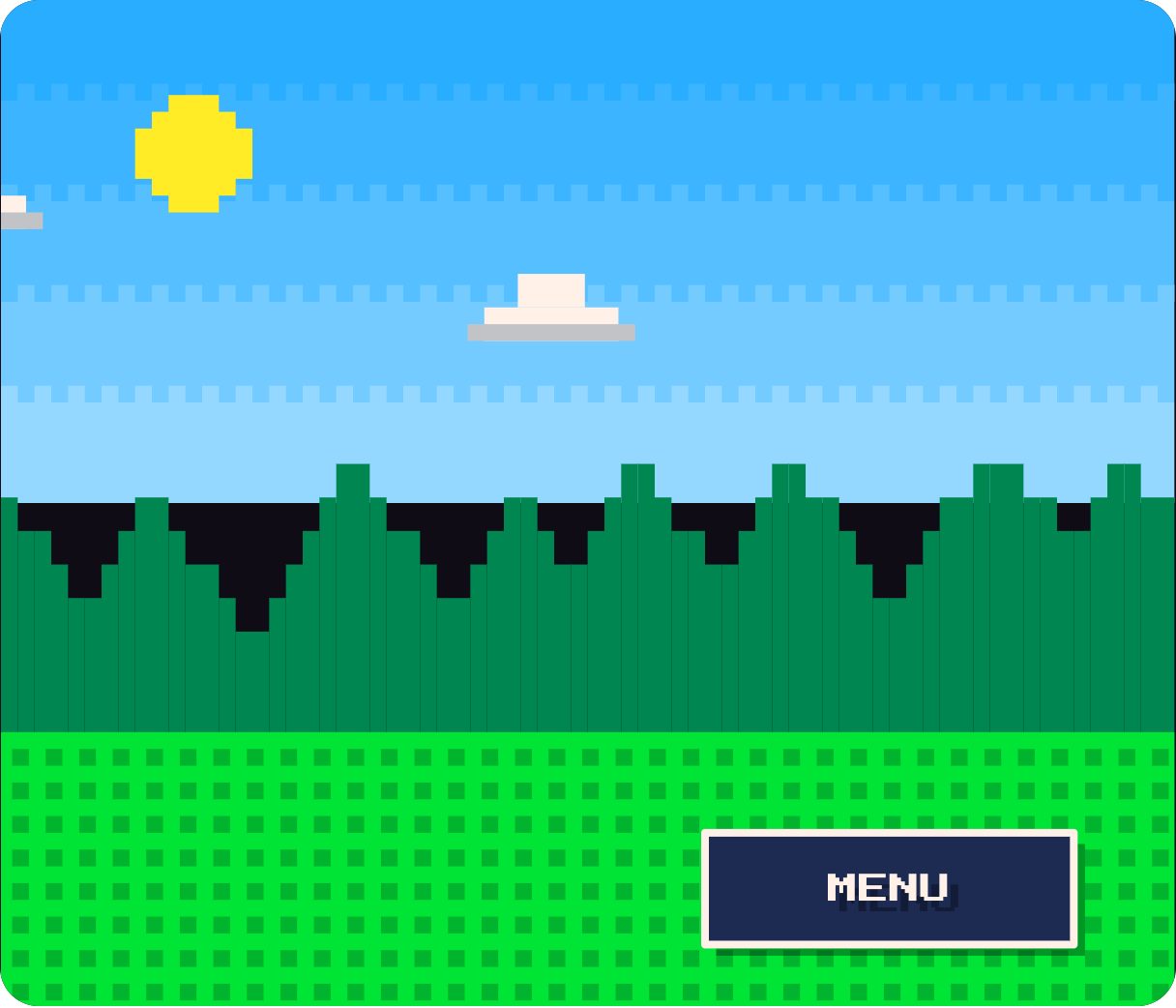
A classic 16-bit RPG command menu — ITEMS, MAGIC, EQUIP, STATUS, SAVE — over a pixel-art landscape, complete with the pointing cursor. Use it for games, game-adjacent products, or any brand that wants nostalgia front and centre.
- 5.4 KB compiled
- 420 × 360 artboard
- 1 input
- 9 runtimes
How it works
- isOpen opens and closes the command window.
- The command window animates in over the pixel-art scene, with the pointing cursor beside the options.
- Each command has its own select animation.
| Input | Type | What it does |
|---|---|---|
isOpen | Boolean | Shows (true) or hides (false) the command window. |
When to use it
- Indie game sites and launchers
- Pause and settings menus in web games
- Retro-themed marketing campaigns
Accessibility
Map arrow keys to the commands in your app and keep the text large — the pixel font is decorative.
Also searched as: 8-bit menu · retro game UI · pixel art menu
Use it in your app
One component, one file. Pick your stack:
import { ExodeUICanvas } from 'exodeui';

export function PixelRpgGameMenu() {
  return (
    <ExodeUICanvas
      src="/pixel-rpg-menu.bexode"
      autoPlay
      onReady={(engine) => {
        // drive it from your own UI:
        // engine.setInputBool('isOpen', true);
      }}
    />
  );
}
React loads the compact .bexode; the other runtimes load the .exode JSON source — both come from the same design.
Questions
Can I use it inside an actual game?
Yes. Exode files run in React, Flutter, SwiftUI and plain JavaScript, so it can sit in a web or mobile game UI.
How do I add keyboard control?
Listen for keys in your app and set the menu inputs; the cursor and selection follow.
More menus & navigation

Make it yours in ExodeUI.
Change the colours, the timing, the logic — then ship the same file.