Deprecating Design System Components Without Breaking Product Teams
How to roll out breaking design system changes in large apps: announce, deprecate, migrate with codemods and remove, using semantic versioning and usage tracking.
Core Takeaway
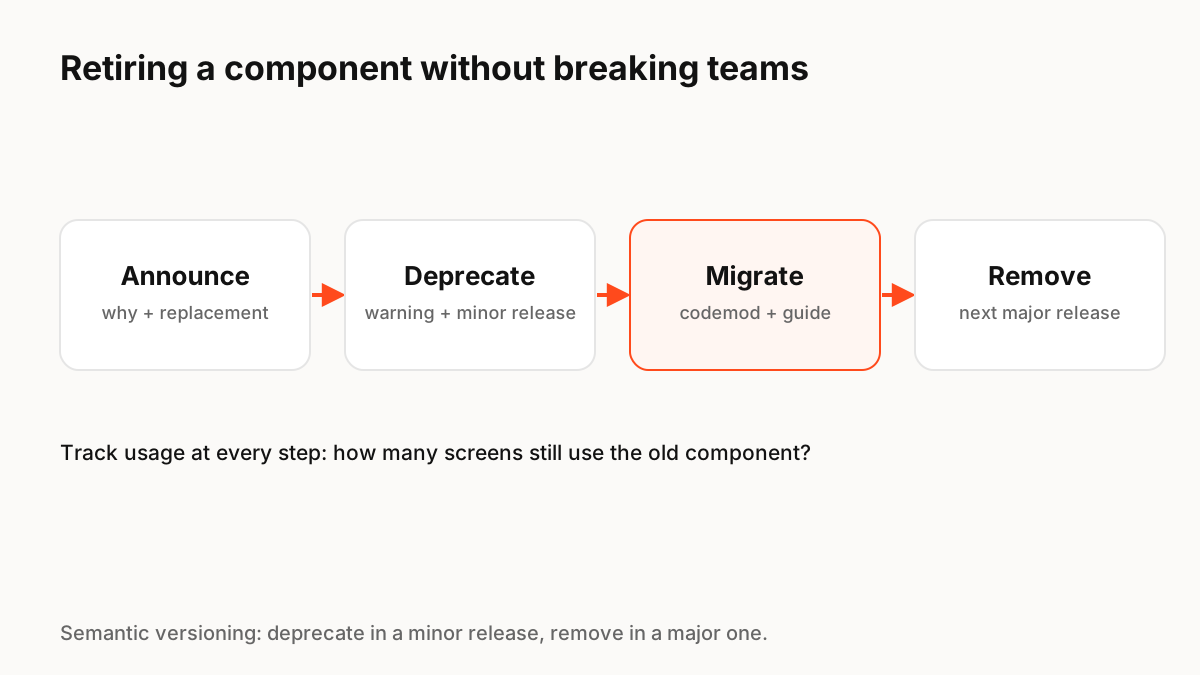
Retire a component in four steps: announce the change with the reason and the replacement, mark the old component deprecated in a minor release with clear warnings, help teams migrate with guides and automated codemods, and remove it only in the next major release. Track how many screens still use it at every step, and do not remove it until usage is close to zero.
Why deprecation goes wrong
Design system changes fail when they surprise product teams: a component disappears in an update, builds break, and teams pin the old version and stop upgrading. Once that happens, the system loses its main benefit, consistency, because different parts of the product drift onto different versions.
A four-step process
Semantic versioning gives a simple contract: incompatible changes go in a major version, and when you deprecate part of an API you should update the documentation and ship a minor release with the deprecation in place, before removing it later.
- Announce: explain why, show the replacement, give a timeline.
- Deprecate: mark it in docs and in code, with a console or lint warning that links to the guide.
- Migrate: provide a written guide and, for code, a codemod that updates usages automatically.
- Remove: in the next major release, once usage is near zero.
Automate the migration
Codemods are scripts that rewrite code across a codebase. Tools such as jscodeshift run codemods over many JavaScript or TypeScript files at once, so a prop rename or component swap can be applied in minutes instead of weeks. Pair them with lint rules that flag remaining usages.
Measure adoption
You cannot plan removal without knowing who still uses a component. Track usage in code (imports, lint warnings) and in design files (library analytics in your design tool). Publish the numbers so teams can see progress, and help the last few teams directly rather than forcing a deadline.
Do not forget the design side
Deprecate the component in the design library too: rename it with a "Deprecated" prefix, link to the replacement, and stop it appearing in search. Otherwise designers keep using it in new work and the migration never ends. Motion and interaction behaviour should be part of the change notes, because a replacement that moves differently can feel broken even if it looks the same.
Key Principles to Remember
- Announce, deprecate, migrate, remove: never jump straight to removal
- Deprecate in a minor release; remove in a major release
- Use codemods and lint rules to automate migration
- Track usage in both code and design files
- Include motion and interaction changes in release notes
Frequently Asked Questions
Sources
- Semantic Versioning 2.0.0 — semver.org
- jscodeshift: a JavaScript codemod toolkit — GitHub (Meta)