滑動操作使用者體驗:使隱藏手勢可被發現且安全
如何設計清單中的滑動操作:指示符、閾值、完全滑動提交、撤消、可訪問性,以及為什麼滑動永遠不應該是唯一的方法。
核心要點
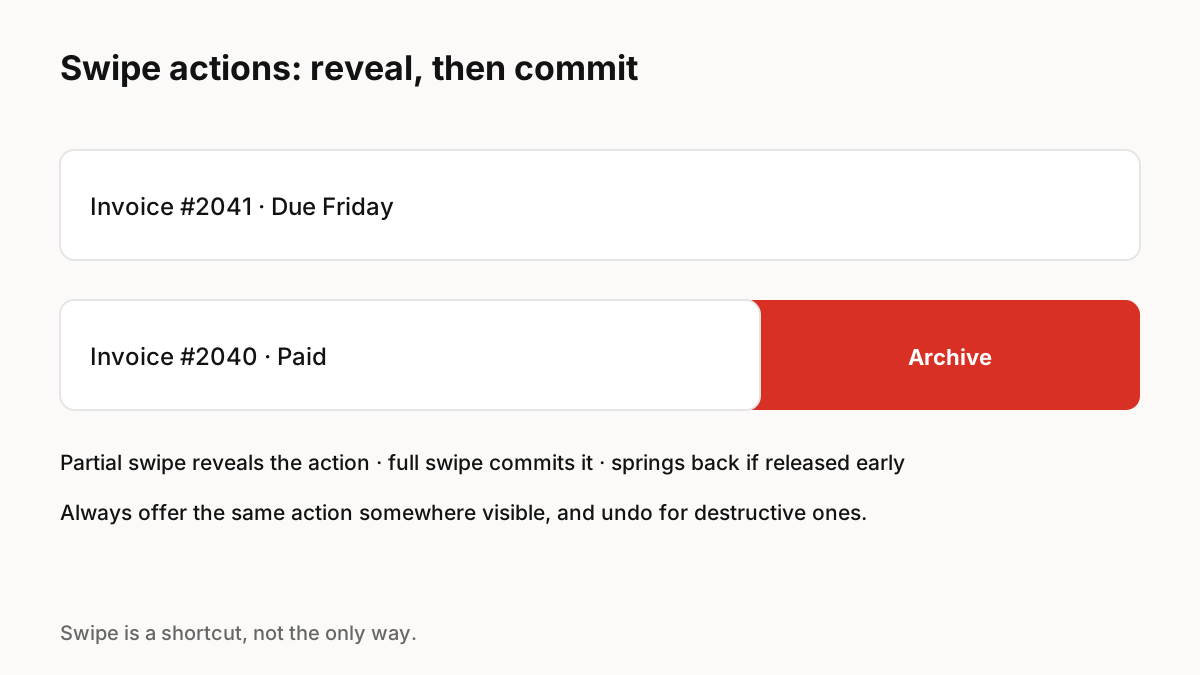
滑動操作是頻繁清單操作(例如存檔或刪除)的快速快捷方式,但它們是隱藏的,因此它們絕不能成為執行某些操作的唯一方法。將它們用於預期的操作,在項目移動時顯示清晰的閾值,讓部分滑動顯示和完全滑動提交,並為破壞性操作提供撤消。
可用性問題
Nielsen Norman Group found recurring problems with swipe-to-reveal actions: a lack of signifiers makes it unclear where swipe works, nonstandard actions behind swipe surprise people who expect delete or archive, hiding many actions behind a swipe makes them hard to discover, and swipe can be ambiguous when the same gesture also navigates between sections.
滑動操作應如何表現
Material Design describes the common pattern on Android: list items can reveal buttons on swipe, and the primary action is the final, end-aligned option, which a full swipe triggers directly.
- 保持滑動以執行頻繁的預期操作:存檔、刪除、標記為已讀。
- 當項目移動時顯示操作及其顏色,並在提交閾值處明顯地更改它。
- 如果在閾值之前釋放,則將項目彈回。
- 對於破壞性操作,提供撤銷或要求確認。
- 請勿在同一螢幕上混合水平滑動操作和水平滑動導航。
從來不是唯一的方法
由於滑動是不可見的,因此請將相同的操作放在可見的選單、長按選單或詳細資料畫面中。這也涵蓋了輔助功能:螢幕閱讀器使用者和無法執行精確手勢的人需要非手勢路線,而平台正是為此目的提供輔助功能操作。
動作讓滑動感覺值得信賴
該項目應該準確地跟踪手指,並且在釋放時,承載手指速度的彈簧使提交或彈回感覺物理。在平台支撐的門檻處進行短暫的觸覺敲擊,可在手指抬起前確認操作。
要記住的關鍵 Principle
- 滑動隱藏:始終提供可見的替代方案
- 將其用於頻繁的、預期的操作
- 部分滑動顯示,完全滑動提交,早期發布反彈
- 撤銷或確認破壞性操作
- 避免在一個螢幕上出現衝突的水平手勢
常見問題解答
來源
- Using Swipe to Trigger Contextual Actions — Nielsen Norman Group
- Lists guidelines — Material Design 3