
Characters & mascots
Cursor-following mascot
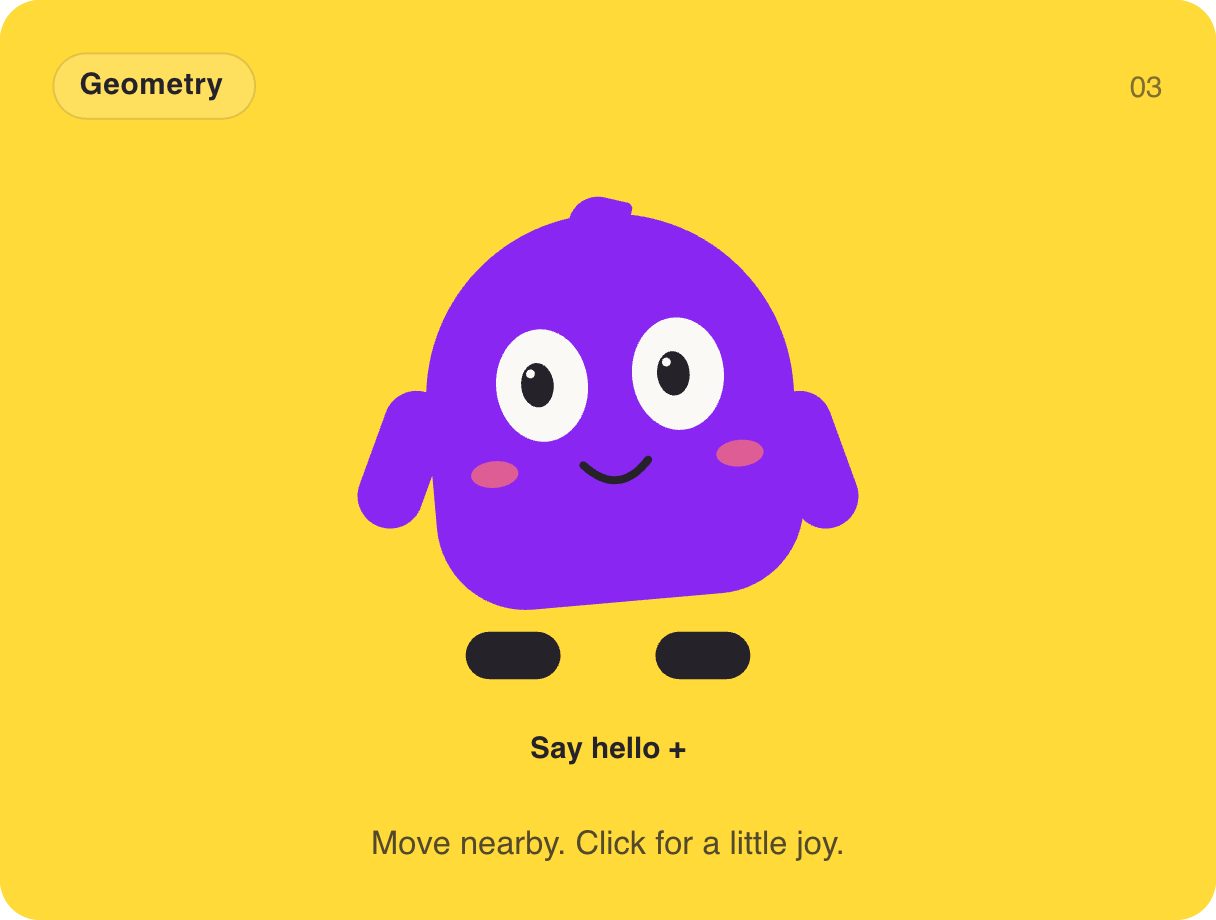
Meet Momo. Its eyes follow your cursor, it blinks on its own, and a click makes it light up with joy. A mascot like this turns a login screen, an empty inbox or a 404 page into something people smile at — and it is only 2.5 KB.
- 2.5 KB compiled
- 410 × 310 artboard
- 1 input
- 9 runtimes
How it works
- A Look layer blends nine poses (left, centre, right × up, middle, down) based on where the pointer is.
- A Blink layer runs independently, so blinking and looking happen at the same time.
- A Trigger input, hello, plays the Joy reaction; firing again plays it once more.
| Input | Type | What it does |
|---|---|---|
hello | Trigger | Plays the joy reaction. |
When to use it
- Login, sign-up and onboarding screens
- Empty states and 404 pages
- Brand mascots on landing pages
Accessibility
Give it a friendly aria-label and keep any message it represents in real text nearby.
Also searched as: eyes follow cursor · interactive mascot · animated character
Use it in your app
One component, one file. Pick your stack:
import { ExodeUICanvas } from 'exodeui';

export function CursorFollowingMascot() {
  return (
    <ExodeUICanvas
      src="/gallery-03-friendly-face.bexode"
      autoPlay
      onReady={(engine) => {
        // drive it from your own UI:
        // engine.fireTrigger('hello');
      }}
    />
  );
}
React loads the compact .bexode; the other runtimes load the .exode JSON source — both come from the same design.
Questions
How do the eyes follow the mouse without code?
The Look layer maps pointer position to a 3×3 grid of poses and blends between them — all inside the file.
Can Momo react to form events?
Yes. Fire hello when a form succeeds and Momo celebrates.
More characters & mascots

Make it yours in ExodeUI.
Change the colours, the timing, the logic — then ship the same file.