1
SaaS Launch free bento grid
Product features
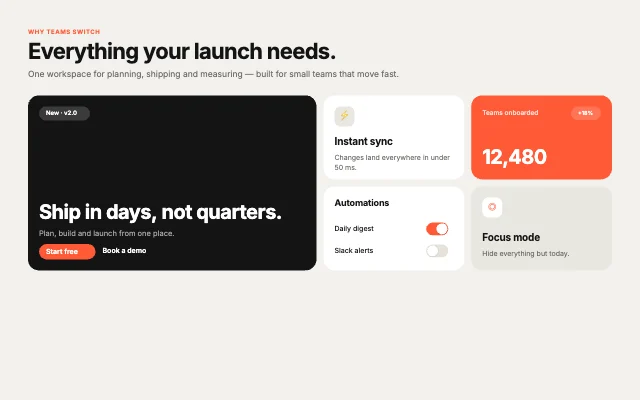
A big hero card, three features, a live stat and a settings card with real toggles. Our first pick: a product features bento grid with no inputs to wire, it just plays, in a 3.1 KB file.
Free · Bento grids · Updated November 2026
Five animated bento grids you can use for free, chosen from the 40 in Exode Galleries. Each one is live below. Open it in ExodeUI, change anything, and play the same file in React, Vue, Svelte, Angular, Solid, React Native, SwiftUI and Flutter.
Product features
A big hero card, three features, a live stat and a settings card with real toggles. Our first pick: a product features bento grid with no inputs to wire, it just plays, in a 3.1 KB file.
App showcases
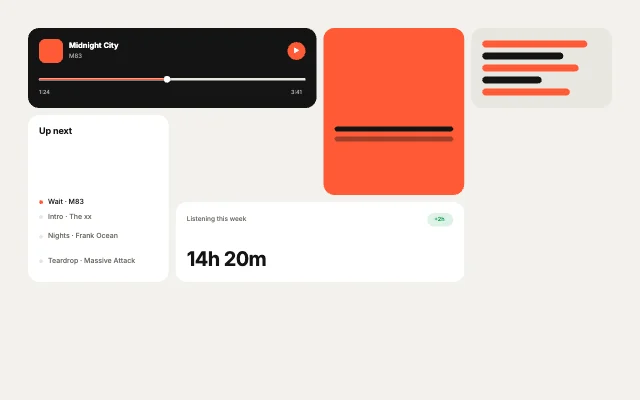
Now playing, queue, mixes and listening stats for a music app. It is a app showcases bento grid with no inputs to wire, it just plays, in a 3.2 KB file.
Personal & link-in-bio
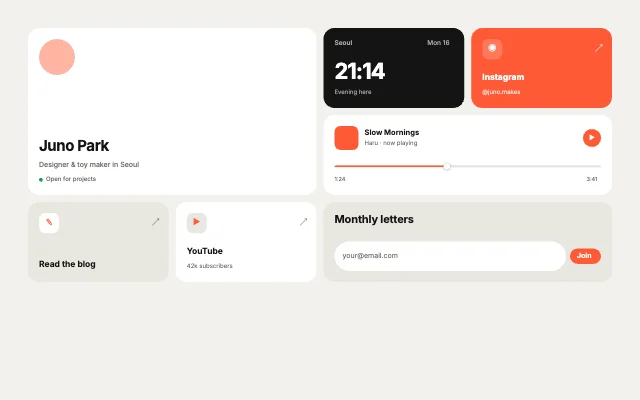
A personal page: profile, local time, a playing track, links and a newsletter. It is a personal & link-in-bio bento grid with no inputs to wire, it just plays, in a 3.6 KB file.
Dashboards
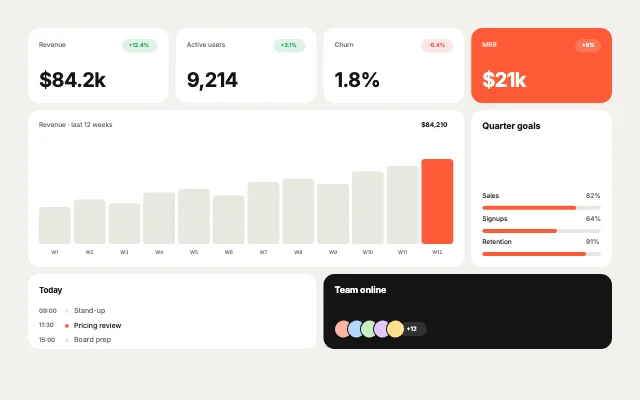
KPI tiles, a wide revenue chart, goal progress and a team activity list. It is a dashboards bento grid with no inputs to wire, it just plays, in a 4.3 KB file.
App showcases
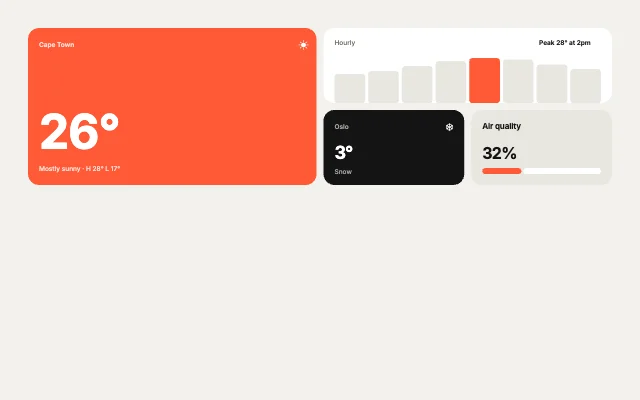
Current conditions, hourly bars, cities and air quality, iOS-weather style. It is a app showcases bento grid with no inputs to wire, it just plays, in a 2.6 KB file.
Use it as a checklist when you compare the picks above. Each one is a native bento grid in ExodeUI, so whatever is missing you change in the editor instead of rewriting code.
| # | Design | Category | Inputs | File |
|---|---|---|---|---|
| 1 | SaaS Launch | Product features | 0 | 3.1 KB |
| 2 | Music App | App showcases | 0 | 3.2 KB |
| 3 | Link in Bio | Personal & link-in-bio | 0 | 3.6 KB |
| 4 | Revenue Board | Dashboards | 0 | 4.3 KB |
| 5 | Weather App | App showcases | 0 | 2.6 KB |
The code for #1, SaaS Launch, with its real file and input names. Every pick works the same way.
npm install exodeuiimport { useEffect } from 'react';
import { ExodeUICanvas, useExodeUI } from 'exodeui';
export function SaasLaunch() {
const { engine, setEngine, updateInput, fireTrigger } = useExodeUI();
useEffect(() => {
}, [engine]);
return (
<>
<ExodeUICanvas src="/saas-launch.bexode" onReady={setEngine} />
</>
);
}Yes. They come from Bento Studio, which is built into the ExodeUI editor and included in the free Community plan, and every runtime is free.
All 40 bento grids in Exode Galleries are live on the page and free to open. This list is our top five.
From the 40 bento grids in Exode Galleries, for range (each pick moves differently), for how much of the design is wired to inputs your code can use, and for how well it reads at small sizes. These are our picks from our own library, not a survey of other products.
Each one is a single .exode file that plays in React, Vue, Svelte, Angular, Solid, React Native, SwiftUI and Flutter.
Yes. Open one in ExodeUI and every part is a native layer: colours, type, motion and logic. The input names stay the same, so your code keeps working.
Free to start. Every studio behind this library is built into the editor, and everything it makes stays native and editable.
Try ExodeUI for free