Free · Text fields · Updated November 2026

5 best free animated text fields

Five animated text fields you can use for free, chosen from the 32 in Exode Galleries. Each one is live below. Open it in ExodeUI, change anything, and play the same file in React, Vue, Svelte, Angular, Solid, React Native, SwiftUI and Flutter.

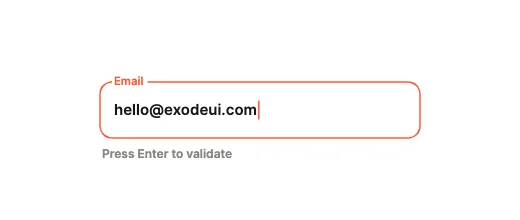
  1. 1Notch Cutout
  2. 2PIN Cubes, Flying Caret
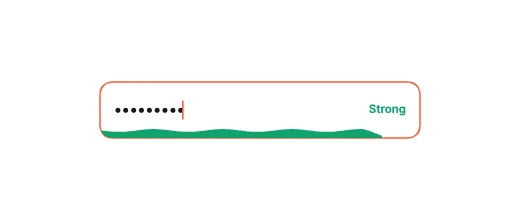
  3. 3Fluid Password Wave
  4. 4Harmonic Spring Shake
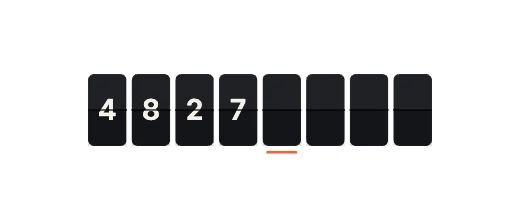
  5. 5Split-Flap Display
1

Notch Cutout free text field

Label & Frame Morphing
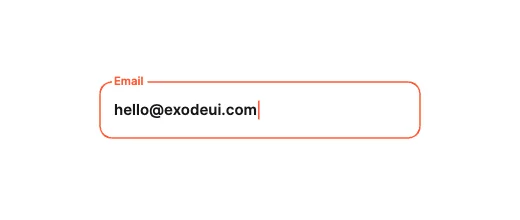
The label starts as a full-size placeholder; on focus it shrinks and carves a notch out of the top border. Our first pick: a label & frame morphing text field with 8 inputs your code can drive, in a 763-byte file.
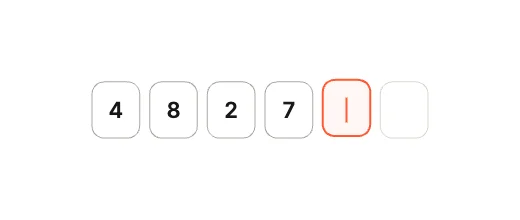
What makes a good animated text field

  • Real typing, not a fake caret.
  • Focus, error and valid states your validation can drive.
  • A label that stays readable when the field is filled.
  • Error motion that is clear but short.

Use it as a checklist when you compare the picks above. Each one is a native text field in ExodeUI, so whatever is missing you change in the editor instead of rewriting code.

Side by side

#DesignCategoryInputsFile
1Notch CutoutLabel & Frame Morphing8763 B
2PIN Cubes, Flying CaretSegmented & Stepped8761 B
3Fluid Password WaveMicro-Metrics & Passwords8773 B
4Harmonic Spring ShakePhysics & Validation12912 B
5Split-Flap DisplaySegmented & Stepped8757 B

Use it in your app

The code for #1, Notch Cutout, with its real file and input names. Every pick works the same way.

npm install exodeui
import { useEffect } from 'react';
import { ExodeUICanvas, useExodeUI } from 'exodeui';

export function Notch() {
  const { engine, setEngine, updateInput, fireTrigger } = useExodeUI();

  useEffect(() => {
    updateInput("Notch Cutout · Value", "Hello");
  }, [engine]);

  return (
    <>
      <ExodeUICanvas src="/notch.bexode" onReady={setEngine} />
      <button onClick={() => fireTrigger("Notch Cutout · Submitted")}>Submitted</button>
    </>
  );
}

Questions

Are these animated text fields really free?

Yes. They come from Input Box Studio, which is built into the ExodeUI editor and included in the free Community plan, and every runtime is free.

Where can I find free animated text field examples?

All 32 text fields in Exode Galleries are live on the page and free to open. This list is our top five.

How were they picked?

From the 32 text fields in Exode Galleries, for range (each pick moves differently), for how much of the design is wired to inputs your code can use, and for how well it reads at small sizes. These are our picks from our own library, not a survey of other products.

Which frameworks do they work in?

Each one is a single .exode file that plays in React, Vue, Svelte, Angular, Solid, React Native, SwiftUI and Flutter.

Can I change them?

Yes. Open one in ExodeUI and every part is a native layer: colours, type, motion and logic. The input names stay the same, so your code keeps working.

Related searches

Make your own in ExodeUI

Free to start. Every studio behind this library is built into the editor, and everything it makes stays native and editable.

Try ExodeUI for free
ExodeUI

EXODEUI DESKTOP

A little space for good ideas.

Choose your platform to get the official ExodeUI installer.

Looking for Intel Mac or other builds? Explore the web studio or check all download options.

Prefer the browser? Try for free in your browser →