Designing for Foldables: Postures, Window Sizes and Gestures
How to design apps for foldable phones: folded and unfolded layouts, tabletop and book postures, window size classes, continuity and gestures near the fold.
Core Takeaway
Design foldable layouts by available window size, not device model: Android's window size classes treat widths under 600dp as compact, 600 to 840dp as medium and 840 to 1200dp as expanded. Support folded, open and half-open (tabletop) postures, keep the user's place when the device folds or unfolds, and keep key content and touch targets away from the fold.
Postures
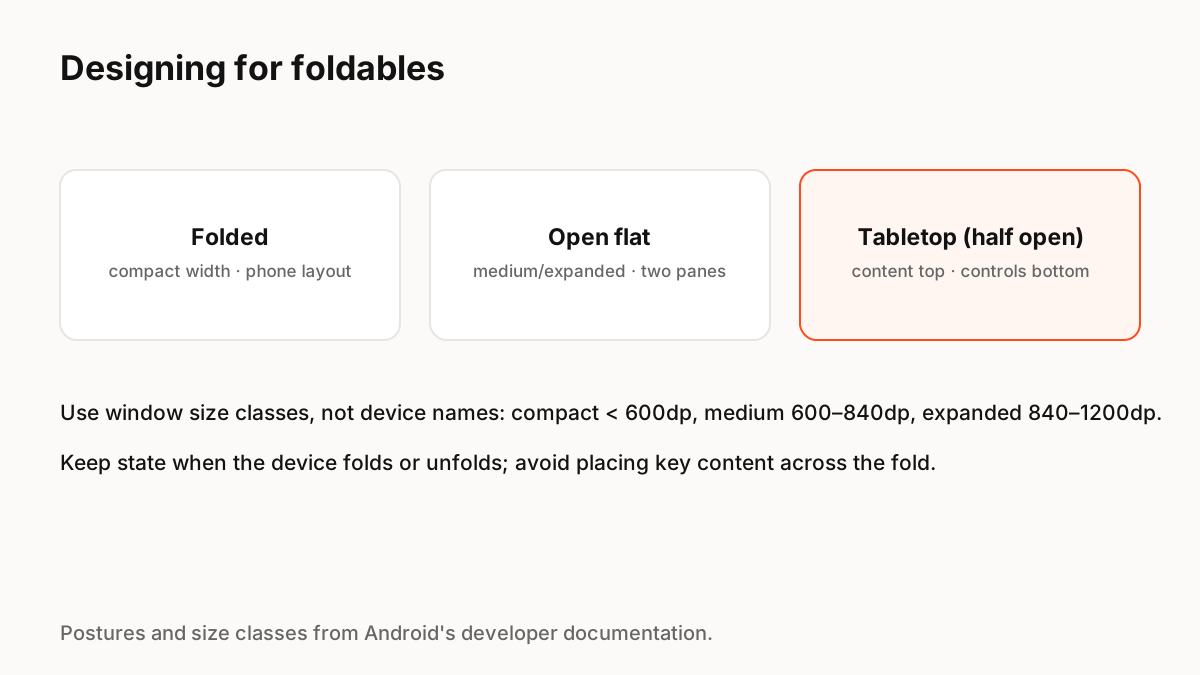
Android's developer documentation describes foldables in several postures: folded, open flat, open flat rotated to landscape, and half opened, known as tabletop. The fold divides the screen into two portions, either as a flexible area of one screen or as a hinge between two displays, and it can obscure part of the display.
Design by window size classes
Instead of targeting specific devices, Android groups available space into window size classes. Compact width (under 600dp) covers almost all phones in portrait; medium width (600 to 840dp) covers most tablets in portrait and many large unfolded inner displays in portrait; expanded width (840 to 1200dp) covers most tablets and large unfolded displays in landscape. Large and extra-large classes cover bigger tablets and desktops.
Layouts that use the fold
Common patterns:
- Folded: the normal phone layout.
- Open flat: list-detail or two-pane layouts, with each pane on one side of the fold.
- Tabletop: content such as video in the top half, controls in the bottom half.
- Never place a button, text line or face across the fold.
Continuity
When someone unfolds a device mid-task, the app should continue where they were: same scroll position, same draft, same playback. Treat fold and unfold as a layout change, not a restart, and animate the transition so people can follow where content moved.
Gestures and reach
Larger unfolded screens change thumb reach: put frequent controls near the edges where hands rest, and avoid edge swipes that conflict with system gestures. Physics-based motion helps here too: panes that slide and settle with springs make the change between postures feel natural rather than jarring.
Key Principles to Remember
- Design by window size class, not device model
- Compact < 600dp, medium 600–840dp, expanded 840–1200dp
- Support folded, open and tabletop postures
- Keep content and controls off the fold
- Preserve state and animate posture changes
Frequently Asked Questions
Sources
- Learn about foldables — Android Developers
- Use window size classes — Android Developers