Testing UI States and Animations with Playwright
How to write stable tests for animated UI with Playwright: controlling time with page.clock, emulating reduced motion and dark mode, and screenshots with animations disabled.
Core Takeaway
Make animation tests deterministic: control time with page.clock, which covers timers, requestAnimationFrame and performance; emulate user settings with page.emulateMedia({ reducedMotion, colorScheme }); assert on states rather than mid-animation pixels; and take screenshots with animations disabled. Test the reduced-motion path as a first-class case.
Why animation tests are flaky
Animations depend on time, and real time varies between runs and machines. A screenshot taken 10 milliseconds early or late shows a different frame. The fix is to control time and settings, and to test the states animations move between rather than individual frames.
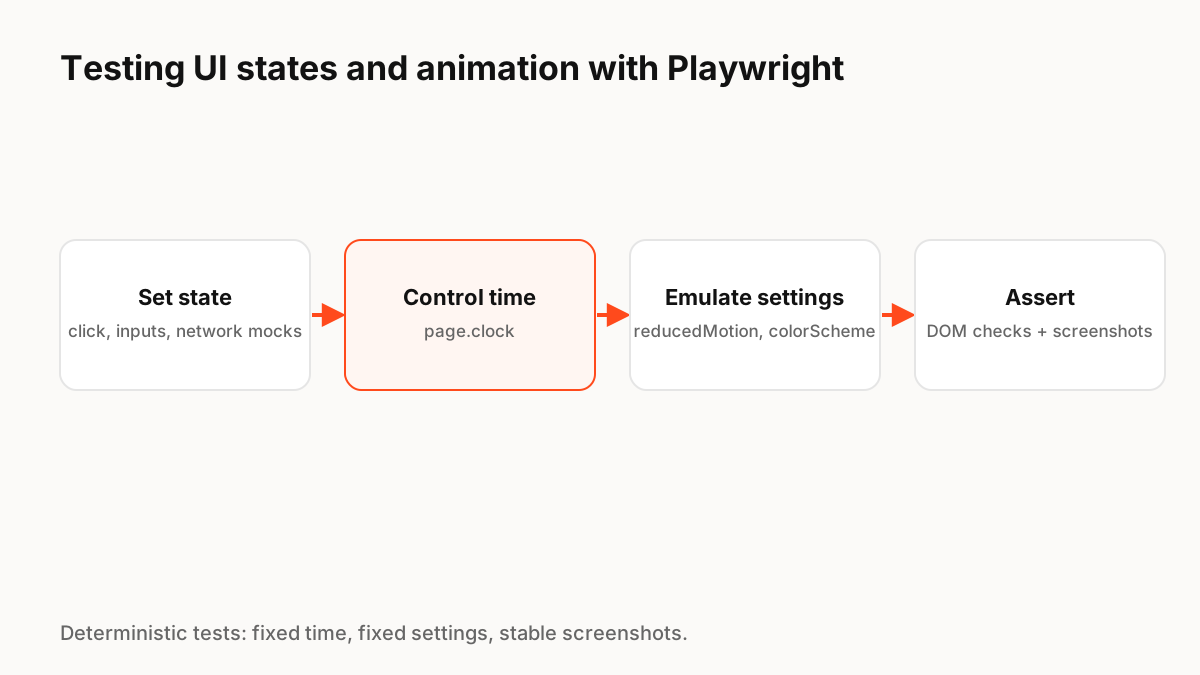
Control time
Playwright's Clock API lets a test install a fake clock and then pause, fast-forward or run time for a set duration. It covers setTimeout, setInterval, requestAnimationFrame and performance, so you can, for example, fast-forward past a loading delay and check the success state appears.
Emulate user settings
page.emulateMedia() can set reducedMotion to "reduce" and colorScheme to "dark" or "light". Run key flows with reduced motion on to confirm that nothing important depends on animation, and in both themes to catch contrast problems.
Stable screenshots
Playwright Test can compare screenshots with expect(page).toHaveScreenshot(), and screenshot options include animations: "disabled", which stops CSS animations and transitions for the capture. Use visual comparisons for end states, and DOM or accessibility assertions for behaviour.
Testing canvas-based components
Canvas animations, such as those drawn by Lottie, Rive or ExodeUI runtimes, are not visible in the DOM. Test the inputs your code sends and the events it receives, keep real accessible elements alongside the canvas, and use screenshots for visual checks after time is controlled.
Production Implementation Snippet
import { test, expect } from '@playwright/test';

test('save button shows success, also with reduced motion', async ({ page }) => {
  await page.clock.install();                         // fake timers + rAF
  await page.emulateMedia({ reducedMotion: 'reduce' }); // test the calm path
  await page.goto('/settings');

  await page.getByRole('button', { name: 'Save' }).click();
  await expect(page.getByRole('status')).toHaveText('Saving…');

  await page.clock.runFor(2000);                      // skip the wait deterministically
  await expect(page.getByRole('status')).toHaveText('Saved');

  await expect(page).toHaveScreenshot('saved.png', { animations: 'disabled' });
});
Key Principles to Remember
- Control time with page.clock (timers, requestAnimationFrame, performance)
- Emulate reducedMotion and colorScheme with page.emulateMedia
- Assert on states and accessible text, not mid-animation pixels
- Screenshot with animations: "disabled"
- Test the reduced-motion path as a first-class case
Frequently Asked Questions
Sources
- Clock — Playwright docs
- Page.emulateMedia and screenshot options — Playwright docs
- Visual comparisons — Playwright docs