The View Transitions API: Smooth Page and State Changes in the Browser
What the View Transitions API does, how same-document and cross-document transitions work, how to style them with CSS, and how to use them responsibly.
Core Takeaway
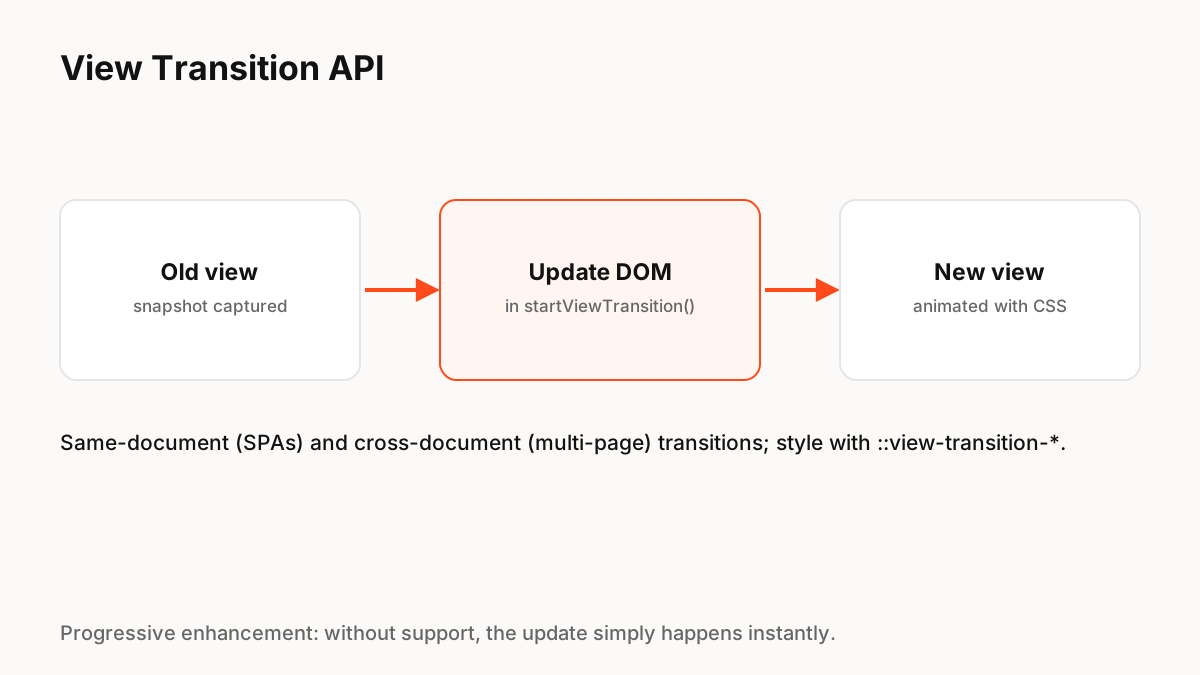
The View Transitions API lets the browser animate between two states of a page. Call document.startViewTransition() with a function that updates the DOM, and the browser snapshots the old and new views and animates between them, which you can style with ::view-transition pseudo-elements. It works within single-page apps and, in supporting browsers, across page navigations.
How it works
MDN describes document.startViewTransition() as starting a same-document view transition, typical in single-page apps. The browser captures the current view, runs your update, captures the new view, and animates between them. By default that is a cross-fade; CSS lets you change it.
Same-document and cross-document
Same-document transitions run inside one page, as in SPAs, and Chrome has supported them since Chrome 111. Cross-document transitions animate between separate pages in multi-page sites, which MDN notes had historically been impossible; they use the pageswap and pagereveal events and an opt-in in CSS. Browser support differs between the two, so check current compatibility tables.
Styling the transition
Most customisation is plain CSS:
- Give an element a view-transition-name to animate it separately from the rest of the page, such as a thumbnail growing into a hero image.
- Target ::view-transition-old() and ::view-transition-new() to customise the animation.
- Keep durations short and the motion meaningful.
- Wrap custom animations in prefers-reduced-motion checks.
Progressive enhancement
Always check support before calling the API, and update the DOM directly if it is missing. The page should work identically without the animation. Avoid long transitions on navigation, which make the whole site feel slower.
Production Implementation Snippet
// Same-document transition with a safe fallback
function navigate(updateDom) {
  const reduce = matchMedia('(prefers-reduced-motion: reduce)').matches;
  if (!document.startViewTransition || reduce) {
    updateDom();
    return;
  }
  document.startViewTransition(() => updateDom());
}

/* CSS: animate one element on its own */
.product-image { view-transition-name: product-image; }

::view-transition-old(root),
::view-transition-new(root) {
  animation-duration: 200ms;
}
Key Principles to Remember
- startViewTransition() snapshots old and new views and animates between them
- Same-document (SPA) and cross-document (multi-page) variants exist
- Style with view-transition-name and ::view-transition pseudo-elements
- Check support and fall back to an instant update
- Keep transitions short and respect reduced motion
Frequently Asked Questions
Sources
- View Transition API — MDN Web Docs
- Smooth transitions with the View Transition API — Chrome for Developers