Accessible Focus States: Designing Visible Keyboard Focus
How to design visible keyboard focus that meets WCAG 2.2: what 2.4.7 and 2.4.13 require, how :focus-visible works, and design tips for focus rings.
Core Takeaway
Every interactive element needs a clearly visible focus indicator for keyboard users; WCAG 2.2 requires it at level AA (2.4.7). For a strong indicator, aim for WCAG's AAA guidance (2.4.13): at least the area of a 2 CSS pixel outline around the element with 3:1 contrast between focused and unfocused states. Use :focus-visible to show rings for keyboard users without showing them on every mouse click.
Why focus states matter
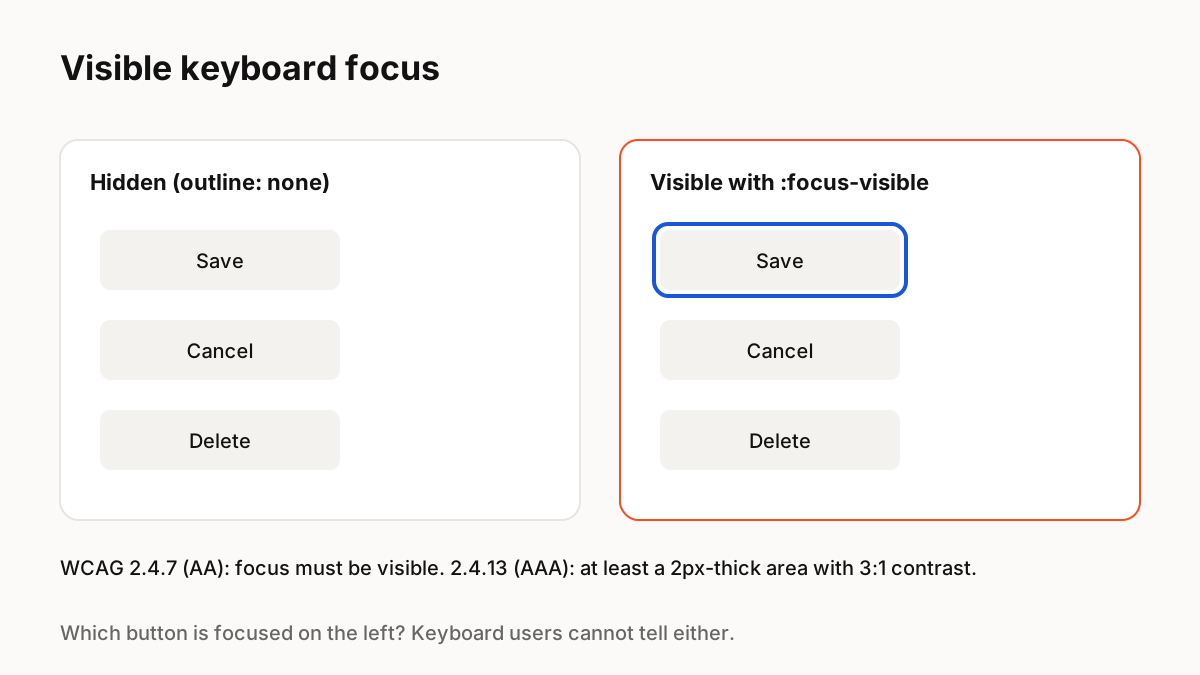
People who use a keyboard, switch device or screen magnifier move through a page one element at a time. The focus indicator is the only way they know where they are. Removing the browser outline without a replacement is one of the most common accessibility failures.
What WCAG 2.2 requires
Success criterion 2.4.7 Focus Visible (level AA) requires that any keyboard-operable interface has a mode where the focus indicator is visible. WCAG 2.2 added 2.4.13 Focus Appearance (level AAA), which describes a strong indicator: at least as large as the area of a 2 CSS pixel thick perimeter of the component, with a contrast ratio of at least 3:1 between the focused and unfocused states.
:focus-visible
MDN explains that :focus-visible applies when an element has focus and the browser decides, using heuristics, that focus should be shown, typically for keyboard use. That lets you show strong focus rings for keyboard users without showing them every time someone clicks a button with a mouse. Use it instead of removing outlines.
Designing the ring
Practical guidance:
- Use an outline or ring with an offset so it does not blend into the element.
- Check contrast against every background the element can appear on; a two-colour ring helps.
- Keep it consistent across components, defined as a token in your design system.
- Never rely on a subtle colour change alone.
- Make sure the focused element is not hidden behind sticky headers.
Focus and motion
A focus ring can appear with a very short transition, but it should feel instant. Avoid animations that delay the ring or move the element, and for custom canvas-drawn components, make sure there is still a real focusable element in the page so keyboard users can reach it.
Key Principles to Remember
- Visible focus is required at WCAG AA (2.4.7)
- 2.4.13 (AAA): 2px-perimeter area and 3:1 contrast change
- Use :focus-visible instead of removing outlines
- Define the focus ring as a design token
- Canvas-rendered UI needs real focusable elements
Frequently Asked Questions
Sources
- Understanding SC 2.4.7: Focus Visible — W3C WAI
- Understanding SC 2.4.13: Focus Appearance — W3C WAI
- :focus-visible — MDN Web Docs