SwiftUI · Liquid glass · Updated November 2026

5 best animated custom SwiftUI liquid glass components

Need a SwiftUI custom liquid glass with real motion? These five animated liquid glass components play in SwiftUI from one .exode file, chosen from the 24 in Exode Galleries. Each one is live below: try it, then open it in ExodeUI and drop it into your SwiftUI app with the code at the end.

  1. 1Tall sliders
  2. 2Alert
  3. 3Search bar
  4. 4Now Playing
  5. 5Tab bar
1

Tall sliders SwiftUI liquid glass component

Control Center

Volume and brightness capsules with a white level fill, as in Control Center. Our first pick: a control center liquid glass component with no inputs to wire, it just plays, in a 2.1 KB file.
2

Alert SwiftUI liquid glass component

Menus & sheets

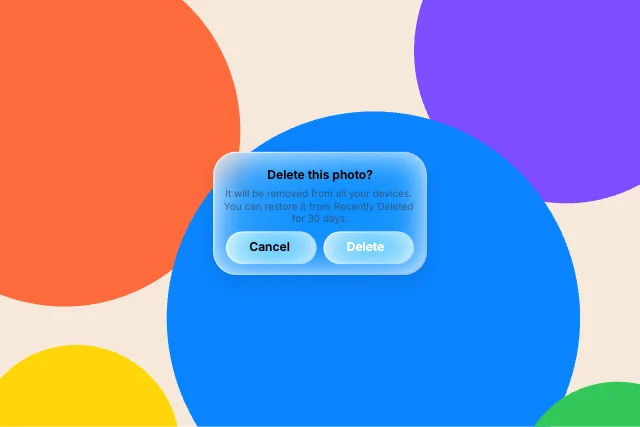
iOS 26 alert: title, message and two capsule buttons on glass. It is a menus & sheets liquid glass component with no inputs to wire, it just plays, in a 2.0 KB file.

4

Now Playing SwiftUI liquid glass component

Control Center

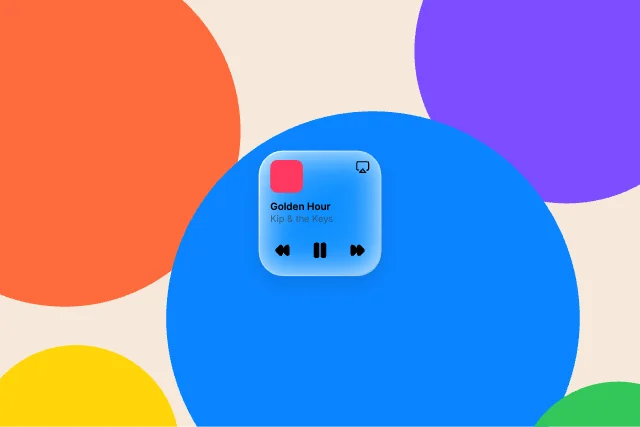
Control Center media tile with artwork, title and transport controls. It is a control center liquid glass component with no inputs to wire, it just plays, in a 2.5 KB file.

5

Tab bar SwiftUI liquid glass component

Bars & navigation

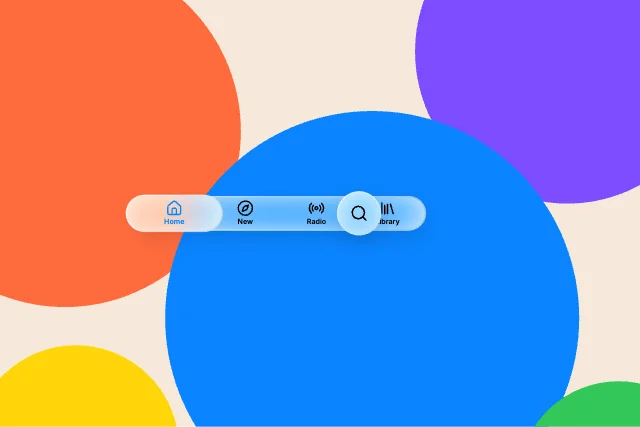
Floating capsule tab bar with a raised selected tab and a separate search button. It is a bars & navigation liquid glass component with no inputs to wire, it just plays, in a 2.6 KB file.

What makes a good SwiftUI liquid glass component

  • Glass that bends what moves behind it, not a flat blur.
  • Text that stays readable on any wallpaper.
  • Buttons with a press state.
  • The same look on web, iOS and Android.

Use it as a checklist when you compare the picks above. Each one is a native liquid glass component in ExodeUI, so whatever is missing you change in the editor instead of rewriting SwiftUI code.

Side by side

#DesignCategoryInputsFile
1Tall slidersControl Center02.1 KB
2AlertMenus & sheets02.0 KB
3Search barBars & navigation02.1 KB
4Now PlayingControl Center02.5 KB
5Tab barBars & navigation02.6 KB

Use it in SwiftUI

The code for #1, Tall sliders, with its real file and input names. Every pick works the same way.

.package(url: "https://github.com/exodeUI/exode-swift.git", from: "7.6.0")
import SwiftUI
import ExodeUI

struct CcSlidersView: View {
    @StateObject private var controller = ExodeUICanvasController()

    var body: some View {
        VStack {
            ExodeUICanvas(bexodeAsset: "cc-sliders", controller: controller)
                .aspectRatio(1.5, contentMode: .fit)
        }
    }
}

Questions

How do I make a custom animated liquid glass in SwiftUI?

Pick a design here, open it in ExodeUI and change it, then export a .bexode file. Install ExodeUI (.package(url: "https://github.com/exodeUI/exode-swift.git", from: "7.6.0")) and load the file with the runtime; the code below uses the first pick’s real file and input names. The motion, states and springs live in the file, so your SwiftUI code only sets and reads inputs.

What is the best SwiftUI custom liquid glass?

It depends on the job: Tall sliders (control center), Alert (menus & sheets), Search bar (bars & navigation) cover different styles. These five are our picks from the 24 liquid glass in Exode Galleries, chosen for range, for how much is wired to inputs and for how well they read small. They are not a survey of other libraries.

Can I use these liquid glass components with SwiftUI’s built-in liquid glass?

They replace it where you want custom motion. Keep the built-in one where the platform default is right, and use an ExodeUI file where the liquid glass is part of your brand.

Are they free?

Yes. They come from Liquid Glass Studio, built into the ExodeUI editor and included in the free Community plan. The SwiftUI runtime is free too.

Can I change them?

Yes. Open one in ExodeUI and every part is a native layer: colours, type, motion and logic. The input names stay the same, so your code keeps working.

Related searches

Make your own in ExodeUI

Free to start. Every studio behind this library is built into the editor, and everything it makes stays native and editable.

Try ExodeUI for free
ExodeUI

EXODEUI DESKTOP

A little space for good ideas.

Choose your platform to get the official ExodeUI installer.

Looking for Intel Mac or other builds? Explore the web studio or check all download options.

Prefer the browser? Try for free in your browser →