Haptic Feedback in Mobile UI: When and How to Use It
When haptics help and when they annoy: system patterns, consistency, pairing with visual feedback, clear vs buzzy haptics, and letting people turn them off.
Core Takeaway
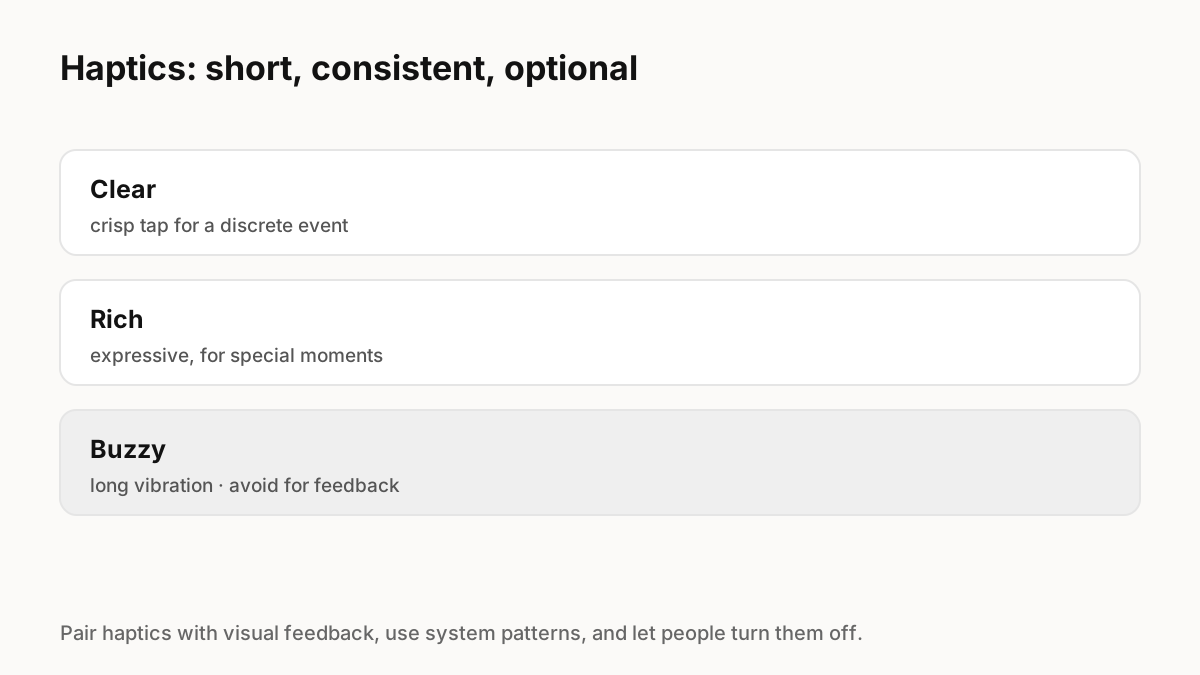
Use haptics sparingly to confirm discrete events, such as a toggle, a successful payment or reaching a threshold in a gesture. Use the platform's built-in patterns for their documented meanings, keep them short and consistent, pair them with visual feedback, avoid long buzzy vibrations, and let people turn haptics off.
Apple's guidance
Apple's Human Interface Guidelines recommend using system-provided haptic patterns according to their documented meanings, using haptics consistently so people learn the cause-and-effect relationship, using haptics to complement visual and audio feedback, preferring short haptics for discrete events in most apps, and making haptics optional.
Android's guidance
Android's haptics design principles distinguish clear haptics, crisp sensations for discrete events like button presses that imitate real mechanical actions, from rich haptics for more expressive moments, and advise against buzzy, legacy one-shot vibrations for feedback. Android recommends action-oriented HapticFeedbackConstants so the platform can provide fallbacks on devices that do not support richer effects.
Good moments for haptics
Use haptics where touch confirms something the eye might miss:
- Toggling a switch or selecting an option.
- Crossing a threshold in a gesture, such as a swipe action that will commit.
- Snapping to a position in a picker or slider.
- Success or failure of an important action, such as a payment.
Pair haptics with motion
Haptics work best when they line up with what people see: the tap lands as the toggle settles, or as the swipe crosses its threshold. Spring animations make this easier because the visual settle has a clear moment. Never rely on haptics alone; some devices lack them and many people turn them off.
Key Principles to Remember
- Use system haptic patterns for their documented meanings
- Short, consistent haptics for discrete events
- Prefer clear haptics; avoid long buzzy vibrations
- Always pair with visual feedback
- Let people turn haptics off
Frequently Asked Questions
Sources
- Playing haptics — Apple Human Interface Guidelines
- Haptics design principles — Android Developers