Use case · Game UI
Game UI animation driven by your game state.
Updated November 2026
ExodeUI is a game UI animation tool for HUDs, menus and reward screens, so your game feels responsive without animation code in the game loop. Your game sets numbers such as health, mana and XP, and the UI animates to match: damage trails, low-health warnings, cooldown sweeps and level-up bursts. It runs in web games and in apps built with Flutter or SwiftUI.
- Game feel, no game-loop codeThe game sets numbers; the HUD decides how they feel.
- Artists own the polishTrails, pulses and bursts are tuned in the editor.
- One HUD for web and mobileThe same file runs in web games and Flutter or SwiftUI apps.
Free Community plan · Browser, macOS and Windows
 Open in ExodeUIFree
HUD polish written by hand, review after review
The usual way
- Damage trails, low-health pulses and cooldown sweeps are written as code in the game loop.
- An artist sends static bar art and asks for "more juice" in review after review.
- The same HUD is rebuilt for the web version and the mobile version.
With ExodeUI
- The game sets hp, mana, xp and level, and nothing else.
- The UI artist tunes every reaction in the editor and ships a new file.
- One file runs in the web game and in the app.
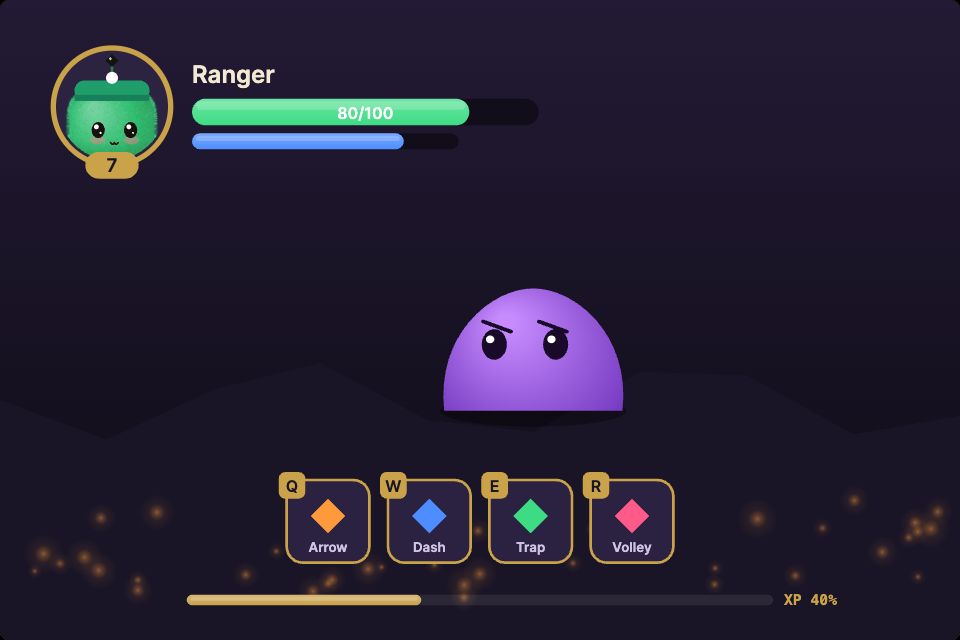
What happens in the demo
The game owns the numbers. The HUD file owns how a change of those numbers feels, so the game code stays free of animation code.
- The player takes damage
hp: 62The bar drops, a white trail shows what was lost, and the number floats up in red - Health falls below 30
hp: 18The screen edge pulses red like a heartbeat and the portrait looks worried - The player heals
hp: 48The portrait ring flashes green and +30 floats up - The player casts an ability
abilityA bolt flies to the enemy, mana drops and a cooldown sweep counts down on the button - XP reaches 100
xp: 100 · levelUpLEVEL UP bursts on screen, the level badge ticks up and the bar starts again
Build your health bar first
It is the piece players watch most. Give it an hp input, a damage trail and a low-health state, then connect it to your game with one call.
Free Community plan to start. Professional is $5 a month, billed yearly.
What you can build with game UI animation
HUD elements
Health, mana, stamina and ammo bars bound to number inputs from the game, like the demo.
Ability bars and cooldowns
Buttons that sweep, glow when ready and shake when the player is out of mana.
Reward and level-up screens
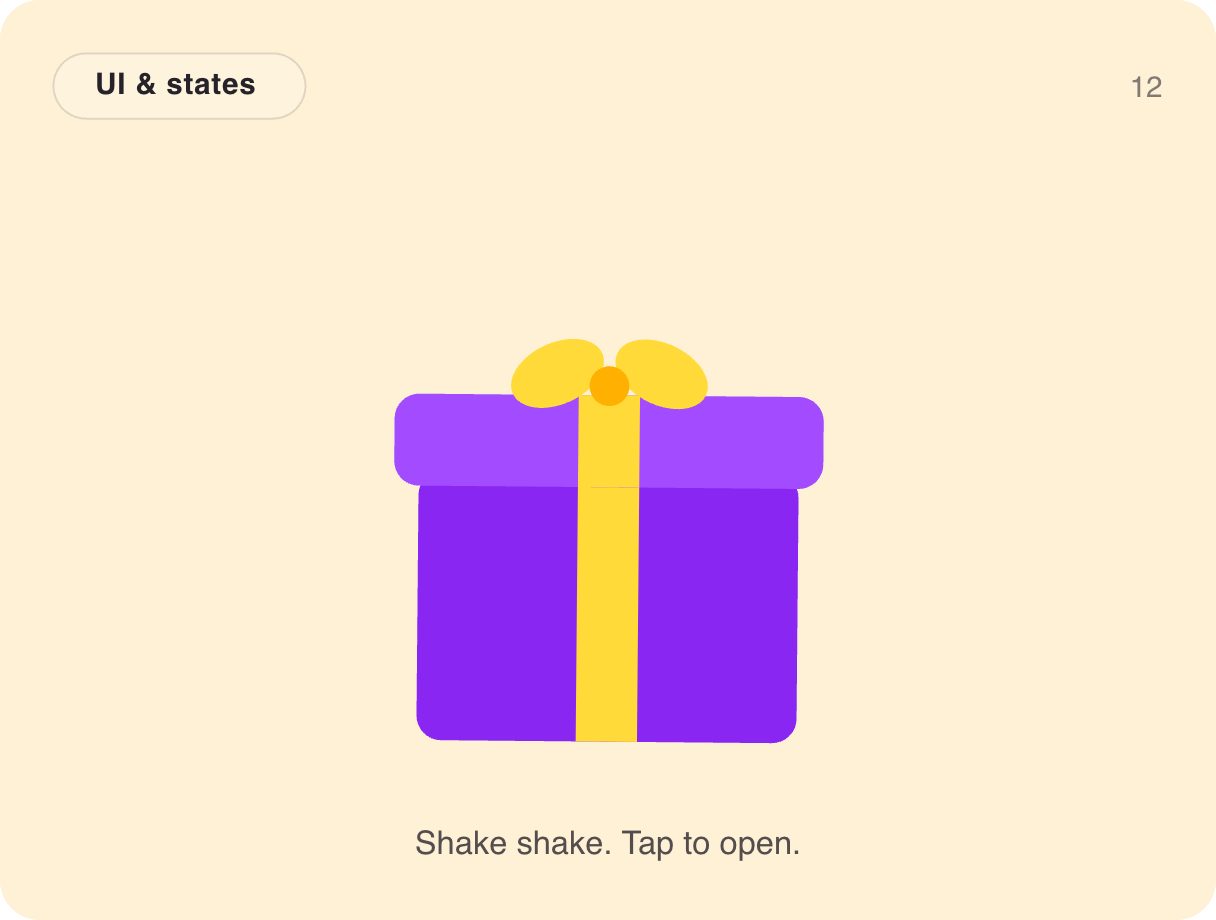
Chests, stars and confetti when the player wins.
Main and pause menus
Menus with hover, select and back states, and transitions between screens.
Inventories and shops
Item grids that react to selection, with array inputs for the contents.
Live-ops banners
Event banners and timers you update without a new build of the art.
Drive it from your code
These are the real inputs and events of the demo above. Your app sets the inputs; the file decides how each change looks.
| Name | Type | What it does |
|---|---|---|
hp, mana, xp | Number | The player's stats, from 0 to 100. |
level | Number | The level on the portrait badge. |
name | Text | The character name. |
ability, levelUp | Event | Fire when an ability is clicked and when XP fills. |
import { ExodeUICanvas } from 'exodeui';

// The game loop owns the numbers; the HUD owns the feel.
export function Hud({ player, onCast }) {
  return (
    <div style={{ position: 'absolute', inset: 0 }}>
      <ExodeUICanvas
        src="/hud.bexode"
        autoPlay
        fit="Layout"
        inputs={{
          hp: player.hp,
          mana: player.mana,
          xp: player.xp,
          level: player.level,
          name: player.name
        }}
        onTrigger={(name) => name === 'ability' && onCast()}
      />
    </div>
  );
}
How you build it
- 1Design the screen
Draw the HUD or menu, or import it from Figma.
- 2Add states and inputs
Create states such as ready, cooling down and low health, and inputs such as hp or coins.
- 3Connect your game
Set the inputs from game code and listen for button and navigation callbacks.
Features for HUDs, menus and game screens
Bind health, scores, timers and names straight to properties.
Feed lists of items to inventories and leaderboards.
Joystick, gamepad stick and keyboard input for menu navigation.
Button clicks, navigation and state changes call back into your code.
More live examples
When another tool is the better fit
If your game is built in Unity, Unreal or Godot, use that engine's UI system or a tool with a runtime for it. ExodeUI has no runtime for those engines today. It fits web games and games or game-like features inside web and mobile apps.
Questions
What is game UI animation?
It is the motion of a game's interface: menus, buttons, HUD bars, reward screens and transitions, as opposed to the characters and the world.
How do I animate a health bar from game code?
Give the bar a number input for health. Your game sets the input and the bar animates, with a damage trail and a warning below a threshold, as in the demo.
Does ExodeUI work with Unity?
Not today. There is no Unity, Unreal or Godot runtime. ExodeUI game UI runs on the web and in Flutter and SwiftUI apps.
Can menus be controlled with a gamepad?
Yes. ExodeUI supports a gamepad stick, a joystick and keyboard input.
Is there a starting template?
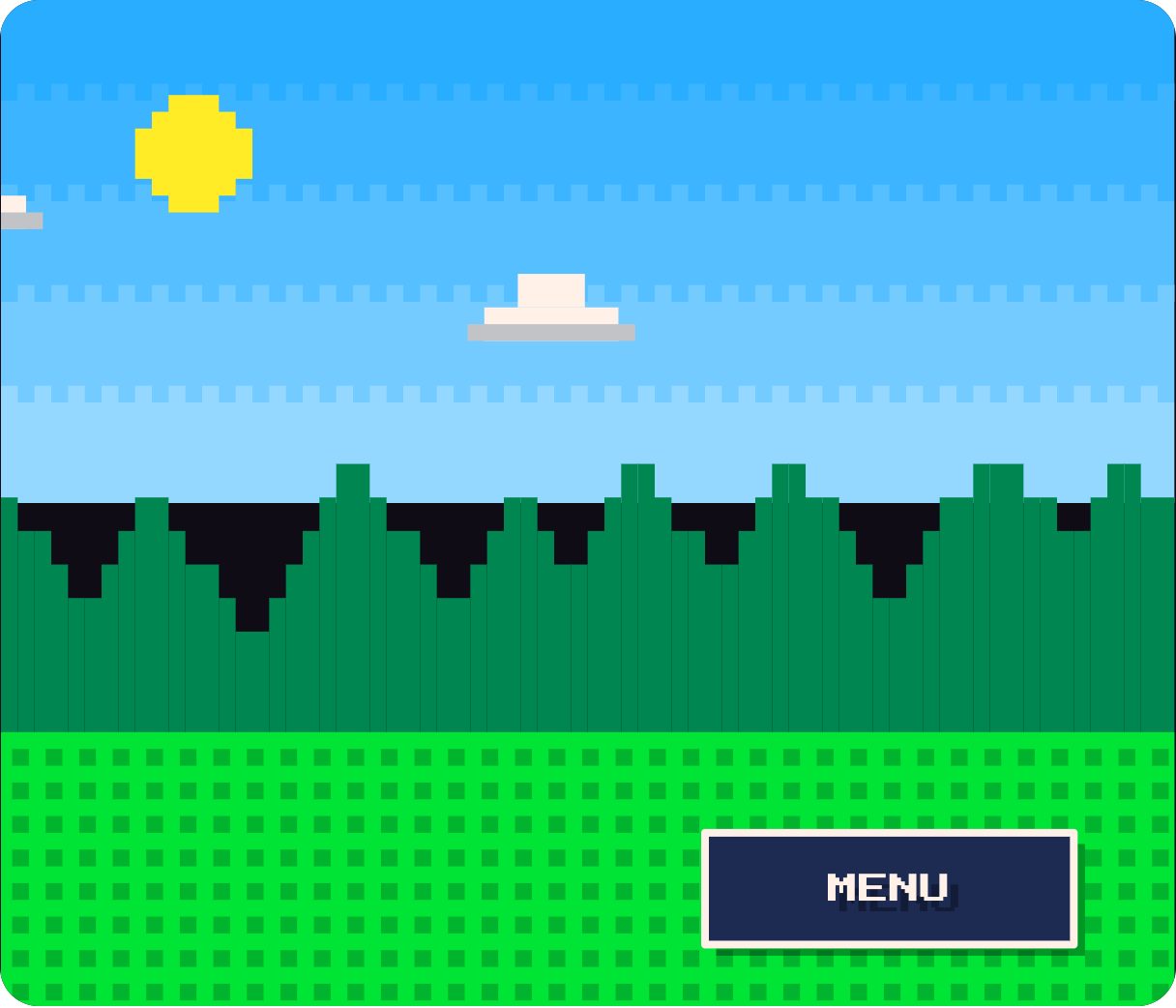
Yes. The pixel RPG menu below is in the component library, ready to open in the editor and change.
Who on the team builds it?
A UI artist or designer builds and tunes the HUD in the editor. A developer connects it once by setting inputs like hp and xp, then rarely touches it again.
Can the HUD tell my game what the player did?
Yes. Buttons and abilities fire events, like ability and levelUp in the demo, and your game listens for them.
Related reading
Give your HUD game feel without writing it.
Free to start. Your .exode files are open JSON that you own.
Other use cases: mobile apps, websites, product design, ai coding agents, design systems, games, character animation, automotive, broadcast & streaming, film & tv, education & science.