Use case · Mobile apps
Mobile app animation that your code can steer.
Updated November 2026
ExodeUI is a mobile app animation tool that lets you ship the exact motion you designed, without a developer rebuilding it by hand. You build a moment, such as an onboarding flow, in one .exode file with inputs like the step and the user's name. Your app sets those inputs and listens for events, and the same file runs on iOS and Android.
- No rebuildDevelopers load your file instead of re-creating the motion from a video.
- Both platforms matchiOS and Android play the same file, so they stop drifting apart.
- Personal by defaultNames, steps and colours are inputs your app fills in.
Free Community plan · Browser, macOS and Windows
 Open in ExodeUIFree
Stop building onboarding twice
The usual way
- A designer hands over a video or a Lottie file, and a developer rebuilds the swipe, the pager and the button states by hand.
- iOS and Android get built twice and slowly drift apart.
- Changing the copy, colour or order of screens means another release.
With ExodeUI
- The designer builds the screens, the swipe and the states in one file.
- The app sets name, step and accent, and listens for stepChange.
- The same file runs on iOS and Android, so both stay identical.
What happens in the demo
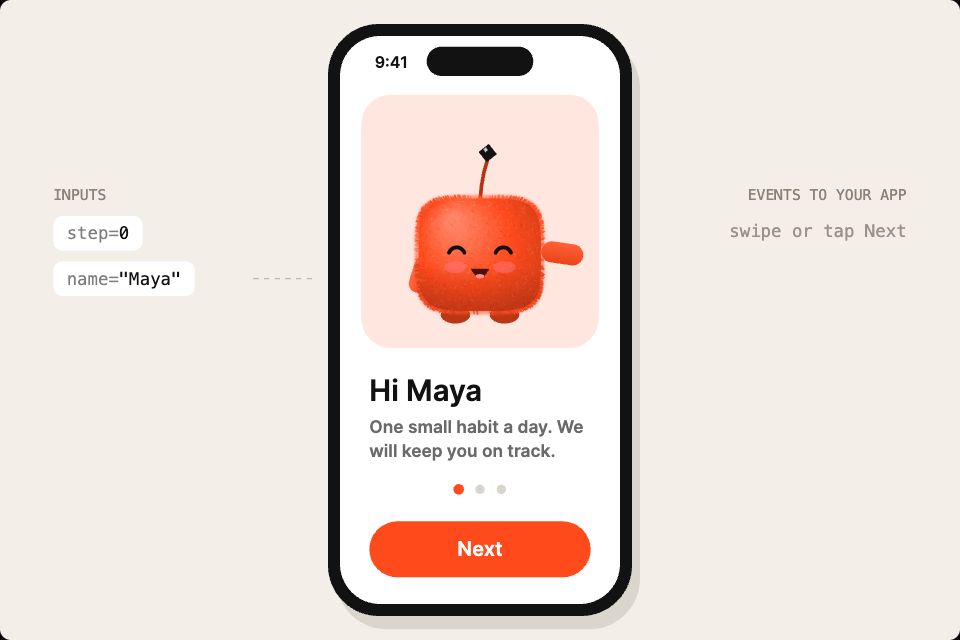
The phone runs one file. Nothing in it is hard-coded to this app: the app tells it who the user is and which screen to show, and the file tells the app when the user moves on.
- The app knows the user's first name
name: "Maya"The first screen greets them: "Hi Maya" - The user swipes or taps Next
stepChangeThe screens slide with a spring and the active dot stretches to the next position - Your own Skip button jumps ahead
step: 2The flow springs straight to the streak screen - The user reaches the last screen
step: 2Confetti bursts and the flame starts to flicker - Marketing changes the brand colour
accent: "#3b6bff"Button, dots, bell and flame all update, with no new build of the art
Start with one onboarding screen
Draw it, add a step input and hand your developer one file. They load it with a single widget, like the code below.
Free Community plan to start. Professional is $5 a month, billed yearly.
What you can build with mobile app animation
Onboarding flows
Swipeable screens with a pager, a character that waves hello and a finish moment, like the demo.
Login and sign-up
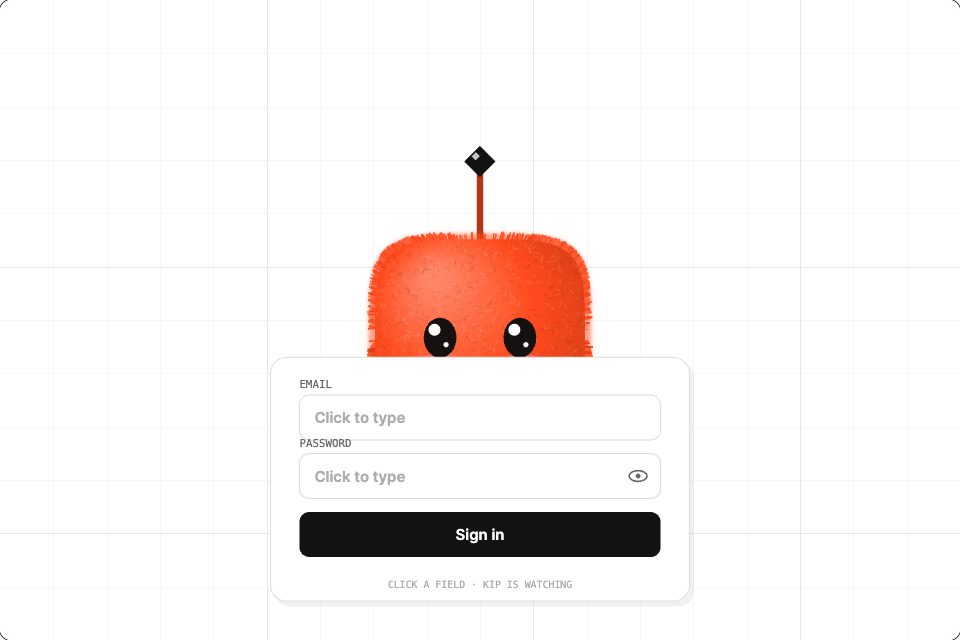
Fields that react to focus, typing and errors. Your form logic sets the inputs.
Tab bars and navigation
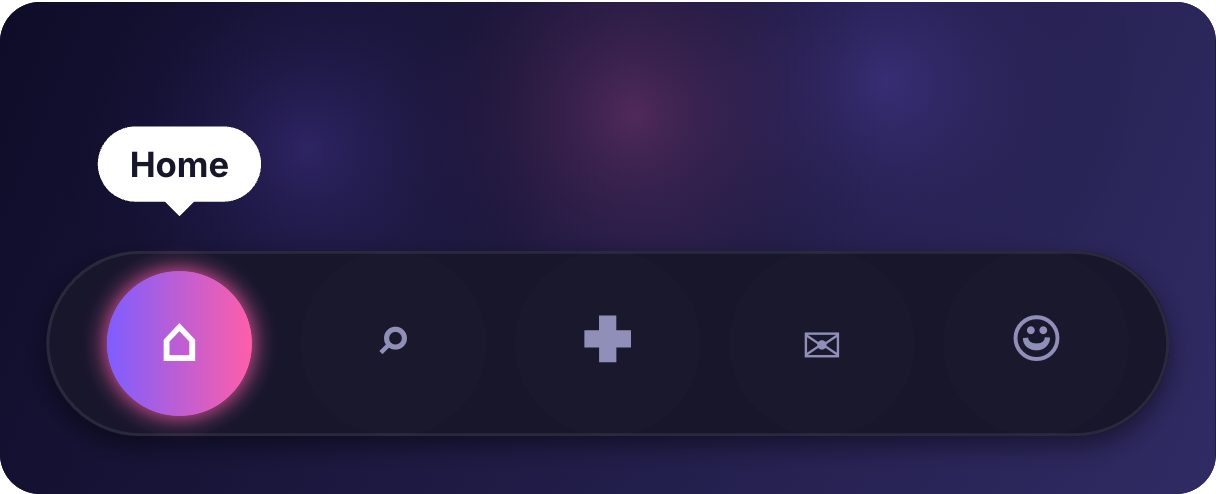
Liquid, springy or icon-morphing tab bars with a number input for the active tab.
Streaks and rewards
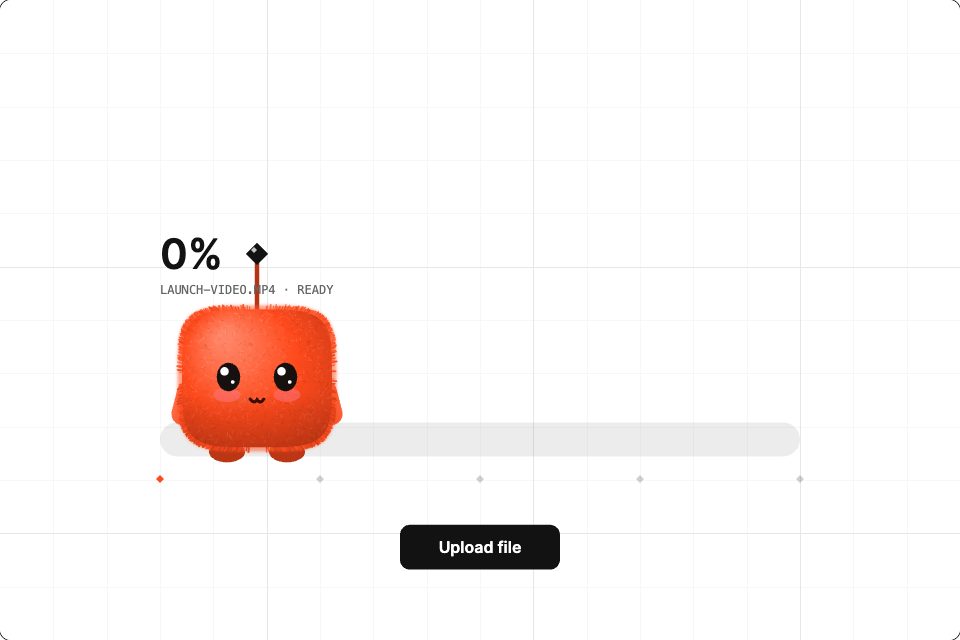
A flame that grows with the streak count, or confetti when your code fires a reward event.
Device and smart-home controls
Switches, sliders and dials bound to real device state.
Empty, loading and error states
Small moments that make waiting and mistakes feel less flat.
Drive it from your code
These are the real inputs and events of the demo above. Your app sets the inputs; the file decides how each change looks.
| Name | Type | What it does |
|---|---|---|
step | Number | Which screen to show: 0, 1 or 2. The user can also swipe. |
name | Text | The first name in the greeting. |
accent | Text | The brand colour, as a hex value. |
stepChange | Event | Fires when the user swipes or taps Next. |
import 'package:exodeui_flutter/exodeui_flutter.dart';

final onboarding = ExodeUICanvasController();

Widget buildOnboarding(User user) {
  return ExodeUICanvas(
    bexodeAsset: 'assets/onboarding.bexode',
    controller: onboarding,
    fit: ExodeFit.layout,
    onReady: (c) {
      c.setInputText('name', user.firstName);
      c.setInputNumber('step', 0);
    },
    onTrigger: (name, _) {
      if (name == 'stepChange') analytics.log('onboarding_step');
    },
  );
}

// Your own Skip button:
void skip() => onboarding.setInputNumber('step', 2);
How you build it
- 1Design the moment
Draw it in ExodeUI or import screens from Figma, then animate with springs and easing.
- 2Name what can change
Add inputs such as step and name, and the events your app needs to hear about.
- 3Load it in the app
Add the Flutter, SwiftUI or React Native runtime and set the inputs from app state.
Features for iOS and Android app animation
States, transitions and layers, so one file handles idle, pressed, loading, success and error.
Spring curves you tune by eye in the editor instead of guessing numbers in code.
Your code sets inputs and listens for callbacks such as triggers, button clicks and input changes.
The same .exode file runs on web and mobile, so iOS and Android do not drift apart.
More live examples
When another tool is the better fit
If you only need a simple fade or slide, the animation APIs built into your framework (Flutter's implicit animations, SwiftUI's withAnimation, Reanimated) are lighter and need no extra file. ExodeUI earns its place when a moment has several states or a character, or must look the same on more than one platform. One limit to know: code-drawn effects like this demo run in the Flutter and SwiftUI runtimes but not in the React Native runtime.
Questions
What is the best tool for mobile app animation?
It depends on the job. For one-off transitions, your framework's own animation API is enough. For interactive moments with several states, characters or shared motion across iOS, Android and web, a design tool with a runtime, such as ExodeUI, saves you rebuilding the same animation by hand.
Does ExodeUI work with Flutter, SwiftUI and React Native?
Yes. There are runtime packages for Flutter (exodeui_flutter), SwiftUI and React Native (exodeui-react-native), as well as React, Vue, Svelte, Angular and Solid on the web.
How does my app change the animation while it runs?
Through inputs. In Flutter, call setInputNumber or setInputText on the controller, as in the code above. On the web, pass an inputs prop.
How does my app know what the user did?
The file fires events, such as stepChange in the demo. Listen for them with onTrigger.
Can I bring designs in from Figma?
Yes. Use the free Figma plugin or paste from the Figma clipboard, then add motion and logic in ExodeUI.
Is ExodeUI free for app teams?
There is a free Community plan. The Professional plan is $5 a month, billed yearly.
Do my developers have to learn the editor?
No. They add the runtime package and call a few methods, such as setInputNumber and setInputText, like the code sample on this page. The designer keeps working in the editor.
Is this worth it for one screen?
For a single fade, no: use your framework's built-in animation. It pays off once a moment has several states, a character, or has to match on iOS and Android.
Related reading
Ship the onboarding you designed.
Free to start. Your .exode files are open JSON that you own.
Other use cases: websites, product design, ai coding agents, design systems, games, game ui, character animation, automotive, broadcast & streaming, film & tv, education & science.