Jelly KnobToggle · Knob Physics
Free · Live demos · Updated November 2026
Free micro-interactions
These 55 free micro-interactions are the small moments of feedback in an interface: a tick that draws, a heart that pops, a switch knob that lands on a spring, a field that shakes when the input is wrong. Each one is a working control, live below. Open it in ExodeUI for free and use it in React, Vue, Flutter, SwiftUI and the other runtimes.
A good micro-interaction confirms one action and gets out of the way. These were chosen from the checkbox, toggle, radio and text field studios for exactly that.
We make ExodeUI. Every component on this page comes from our own library.
Try them live 55
Every component below is running. Drag, tap or type to try it, then open it in ExodeUI or see its inputs and code.
Magnet SnapToggle · Knob Physics
Gravity DropToggle · Knob Physics
Sun / MoonToggle · Icon Morph
LockToggle · Icon Morph
Wi-FiToggle · Icon Morph
PowerToggle · Icon Morph
Bounce InCheckbox · Check Motion
Hand-DrawnCheckbox · Check Motion
Cross to TickCheckbox · Check Motion

StarCheckbox · Expressive
SmileCheckbox · Expressive
Bounce KnobToggle · Knob Physics
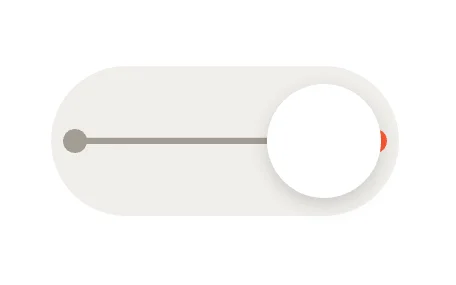
Elastic BandToggle · Knob Physics
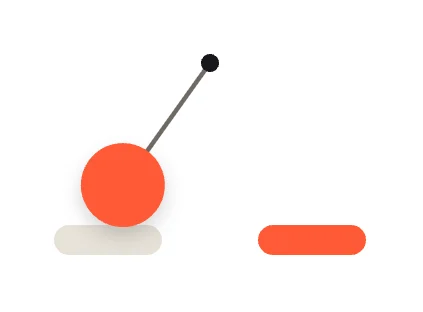
PendulumToggle · Knob Physics
Cross / CheckToggle · Icon Morph
EyeToggle · Icon Morph
MicrophoneToggle · Icon Morph
Draw-On TickCheckbox · Check Motion
Rotate InCheckbox · Check Motion
Elastic BoxCheckbox · Check Motion
SparkleCheckbox · Check Motion

BookmarkCheckbox · Expressive
ConfettiCheckbox · Expressive
Rolling BallToggle · Knob Physics
Squash Against WallToggle · Knob Physics
Spin KnobToggle · Knob Physics
Motion TrailToggle · Knob Physics
Play / PauseToggle · Icon Morph
BellToggle · Icon Morph
HeartToggle · Icon Morph
PopCheckbox · Check Motion
Slide FillCheckbox · Check Motion
Flip BoxCheckbox · Check Motion

HeartCheckbox · Expressive

To-Do StrikeCheckbox · Expressive
Loading more… 36 of 55
What makes a good micro-interaction
- It confirms one action, fast, often under 300 ms.
- It starts from the element the user touched.
- It is tied to real state, not played at random.
- It still reads with reduced motion on.
Use it in your app
The code for Jelly Knob, with its real file and input names. Every component on this page works the same way.
npm install exodeuiimport { useEffect } from 'react';
import { ExodeUICanvas, useExodeUI } from 'exodeui';
export function JellyKnob() {
const { engine, setEngine, updateInput, fireTrigger } = useExodeUI();
useEffect(() => {
updateInput("Jelly Knob · On", true);
}, [engine]);
return (
<>
<ExodeUICanvas src="/jelly-knob.bexode" onReady={setEngine} />
</>
);
}Questions
What is a micro-interaction?
A small piece of feedback for one action: a checkbox tick, a toggle knob, a like button, an error shake. It tells the user the action worked.
Are these micro-interactions free?
Yes. Every design comes from a studio built into the ExodeUI editor, and the studios are part of the free Community plan. You can open and change any design without a paid plan, or download its .exode file from its page. The runtimes are free npm, Swift and Flutter packages.
Which frameworks do they work in?
Each design is one .exode file. The ExodeUI runtimes play the same file in React, Vue, Svelte, Angular, Solid, React Native, SwiftUI and Flutter, and the inputs have the same names in all of them.
Can I change the timing?
Yes. Springs and curves are settings in ExodeUI. Change stiffness, damping or duration in the editor and export again; your code does not change.
Can an AI coding tool add them?
Yes. The ExodeUI MCP server lets Claude Code, Cursor and other AI coding tools list the library and add a design to your file from a plain-language prompt.
Related
More free components
- Animated UI components
- Interactive UI components
- Animated elements for websites
- Animated React components
- Animated form components
- Dark mode toggle
- Star rating
- Segmented control
- Range slider
- Knobs and dials
- Floating label input
- OTP input
- Password input
- Search bar
- Image carousel
- Donut chart
- Line chart
- Pricing table
- Liquid glass UI kit
Make your own in ExodeUI
Free to start. Every studio behind these components is built into the editor, and everything it makes stays native and editable.
Try ExodeUI for free