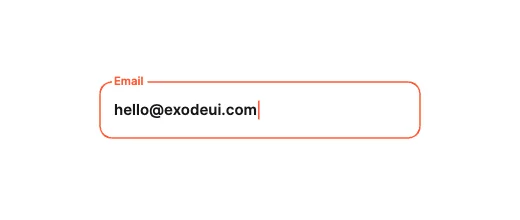
Notch CutoutLabel & Frame Morphing
Free · Live demos · Updated November 2026
Free floating label input
These 6 free floating label inputs move the label out of the way when you focus or type: into a notch in the border, into a small badge, up into a folder tab, or from an icon to the corner. Each one is a real text field, live below. Focus, Error and Valid are inputs, so your validation drives the motion.
A floating label keeps the field’s name visible after the user types, which a plain placeholder does not.
We make ExodeUI. Every component on this page comes from our own library.
Try them live 6
Every component below is running. Drag, tap or type to try it, then open it in ExodeUI or see its inputs and code.
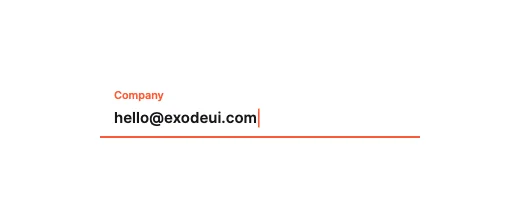
Underline Center-BloomLabel & Frame Morphing
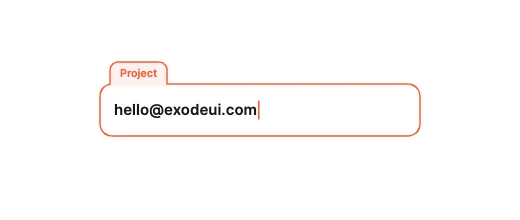
Tab Header ExtrusionLabel & Frame Morphing
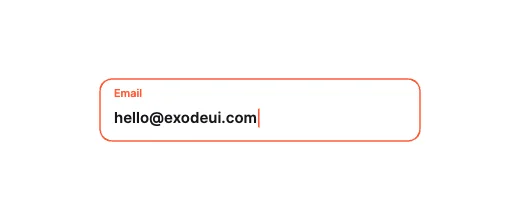
Icon-to-Label MorphLabel & Frame Morphing
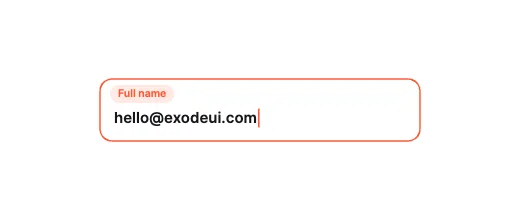
Pill-Badge AbsorptionLabel & Frame Morphing
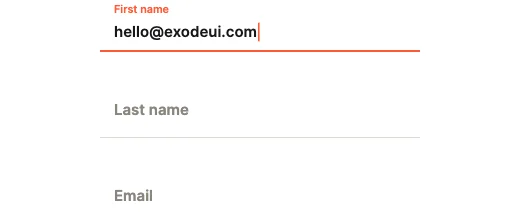
Sliding Underline RailLabel & Frame Morphing
What to look for in a floating label
- The label stays readable once it has moved.
- Enough contrast between label, text and border.
- A clear error colour and message.
- Motion short enough not to delay typing.
Use it in your app
The code for Notch Cutout, with its real file and input names. Every component on this page works the same way.
npm install exodeuiimport { useEffect } from 'react';
import { ExodeUICanvas, useExodeUI } from 'exodeui';
export function Notch() {
const { engine, setEngine, updateInput, fireTrigger } = useExodeUI();
useEffect(() => {
updateInput("Notch Cutout · Value", "Hello");
}, [engine]);
return (
<>
<ExodeUICanvas src="/notch.bexode" onReady={setEngine} />
<button onClick={() => fireTrigger("Notch Cutout · Submitted")}>Submitted</button>
</>
);
}Questions
Is this floating label input free?
Yes. Every design comes from a studio built into the ExodeUI editor, and the studios are part of the free Community plan. You can open and change any design without a paid plan, or download its .exode file from its page. The runtimes are free npm, Swift and Flutter packages.
Why use a floating label instead of a placeholder?
A placeholder disappears when the user types, so they can lose track of what the field is for. A floating label stays visible.
Can I show validation errors?
Yes. Set the Error input from your validation and the field plays its error state.
Which frameworks does it work in?
Each design is one .exode file. The ExodeUI runtimes play the same file in React, Vue, Svelte, Angular, Solid, React Native, SwiftUI and Flutter, and the inputs have the same names in all of them.
Can I change it?
Yes. Open it in ExodeUI and every part is a native layer: colours, type, motion curves, springs and logic. The input names stay the same, so code that already uses the design keeps working.
Related
More free components
- Animated UI components
- Interactive UI components
- Animated elements for websites
- Animated React components
- Micro-interactions
- Animated form components
- Dark mode toggle
- Star rating
- Segmented control
- Range slider
- Knobs and dials
- OTP input
- Password input
- Search bar
- Image carousel
- Donut chart
- Line chart
- Pricing table
- Liquid glass UI kit
Make your own in ExodeUI
Free to start. Every studio behind these components is built into the editor, and everything it makes stays native and editable.
Try ExodeUI for free